
1. Introduction
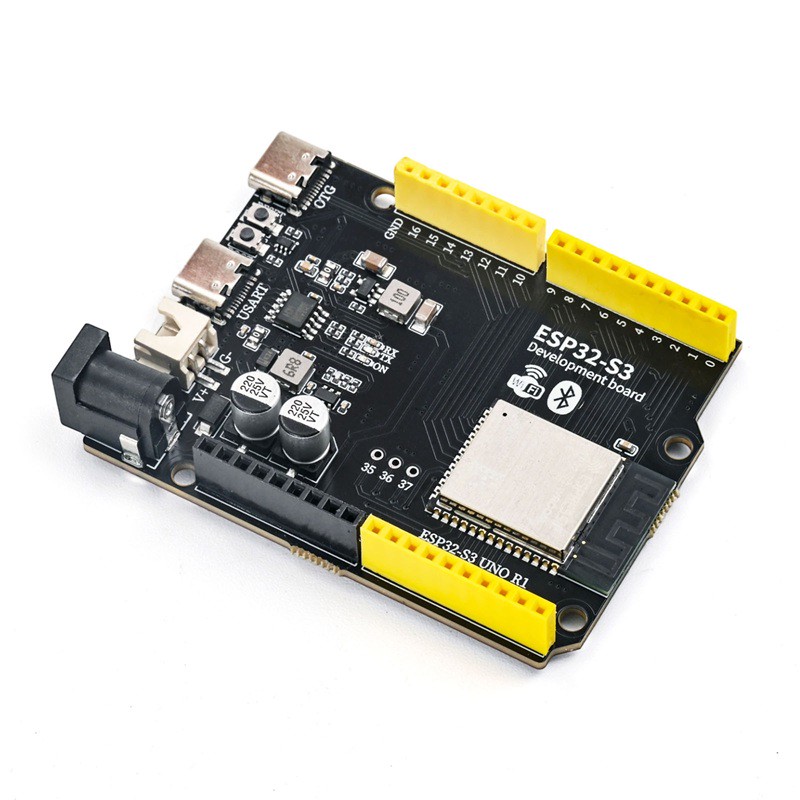
ESP32-S3-UNO-R1 is a development board compatible with the UNO form factor, the main control usesESP32-S3-WROOM-1-N16R8Module, integrated Wi-Fi 2.4G, Bluetooth 5.0; equipped with two Type-C interfaces,USB2 is used as the USB power input and program download port, USB1 is only used as the native USB-OTG interface of ESP32-S3; Using CH340K to implement USB to serial port; TPS54302DDCR implements wide voltage external DC input and output 5.5V;RY3430 synchronous step-down DC-DC chip outputs 3.3V to power the main control module; Supports Type-C USB power supply, external VIN DC power supply, two power supply modes; pin header compatible with UNO style expansion board, for Internet of Things projects, wireless prototype development, maker education, microcontroller experiments.
LEIXIN Official Data Manual:esp32-s3-wroom-1_wroom-1u_datasheet_cn.pdf
2, Technical Specifications
Main control module | ESP32-S3-WROOM-1-N16R8 |
CPU | Xtensa LX7 dual-core, clock frequency 240MHz |
Module power supply | 3.3V, output by RY3430; recommended operating voltage 3.0~3.6V |
Power supply input | USB2 Type-C 5V; VIN DC 6-12V |
Download Interface | USB2, CH340K serial port, also used as the PCB USB power input port |
WIFI | 2.4 GHz Wi-Fi (802.11b/g/n) |
Bluetooth Standard | Bluetooth 5.0 LE |
Chip Clock Frequency | 240 MHz |
Flash | 16 MB |
PSRAM | 8 MB |
OTG Type-C | USB1 directly connected to ESP32-S3 GPIO19 USB-D-, GPIO20 USB-D+, only OTG function |
5V step-down chip | TPS54302DDCR; Input 4.5-28V; Output 5.5V continuous 3A; 400kHz synchronous Buck, built-in protection; Output series DSK34 diode |
Isolation diode | DSK34; TPS54302DDCR output 5.5V, after diode voltage drop of about 5V, one path into RY3430 input pin, the other path supplies the 5V power rail of the expansion header |
3.3V DC-DC chip | RY3430; Input 2.5-5.5V; Fixed output 3.3V, maximum output 3A; 1.2MHz switching frequency; PFM/PWM light load efficiency; Built-in overcurrent, short-circuit, over-temperature protection, SOT-23-5 package |
Pin header interface | UNO style pin header interface; USB2 input power supply connected to the 5V power rail of the expansion pin header after passing through a resettable fuse; When VIN is powered, the TPS54302DDCR outputs 5.5V through the DSK34 diode to reduce it to about 5V and then supply the 5V power rail of the expansion pin header |
⚠️Important: The ESP32-S3 module IO is at 3.3V level, it is strictly forbidden to directly connect to 5V signals, otherwise the IO port will be burnt; VIN maximum input is 12V, it is recommended to work for a long time at 6-12V; USB1 is a pure OTG port, it cannot download programs, and cannot be used as the main power input.
3, Features
1, Main control module: ESP32-S3-WROOM-1-N16R8, dual-core LX7, 240MHz, 16MB Flash, 8MB PSRAM, on-board PCB antenna, Wi-Fi 802.11b/g/n + Bluetooth5 LE
2, USB interface: two Type-C ports;USB2: CH340K USB conversion serial port, with USB power input and program download function; USB1: Only ESP32-S3 USB-OTG (GPIO19/20), supports USB device/host functions, not used for download power supply.
3. USB conversion serial port: CH340K, built-in clock without external crystal oscillator, built-in anti-reverse diode, achieving program download and serial port debugging output.
4. Power supply mode: USB2 Type-C 5V power supply; external DC 6-12V input via VIN.
5, Power chip: TPS54302DDCR synchronous Buck step-down output5.5V, Output after DSK34 diode voltage drop, one path to the RY3430 input terminal, and the other path to the 5V expansion pin;RY3430 synchronous DC-DC step-down output 3.3V, maximum output 3A, 1.2MHz switching frequency, powering the ESP32-S3 module and 3.3V peripherals.
6, I/O Resources: GPIO, ADC, SPI, I2C, UART are brought out, compatible with UNO pin headers; supports touch, ADC, and RMT peripherals.
7, Peripherals: Reset button, BOOT download button; power LED, TX/RX serial port LED; onboard LED indicator; compatible with UNOR3 expansion board stacking.
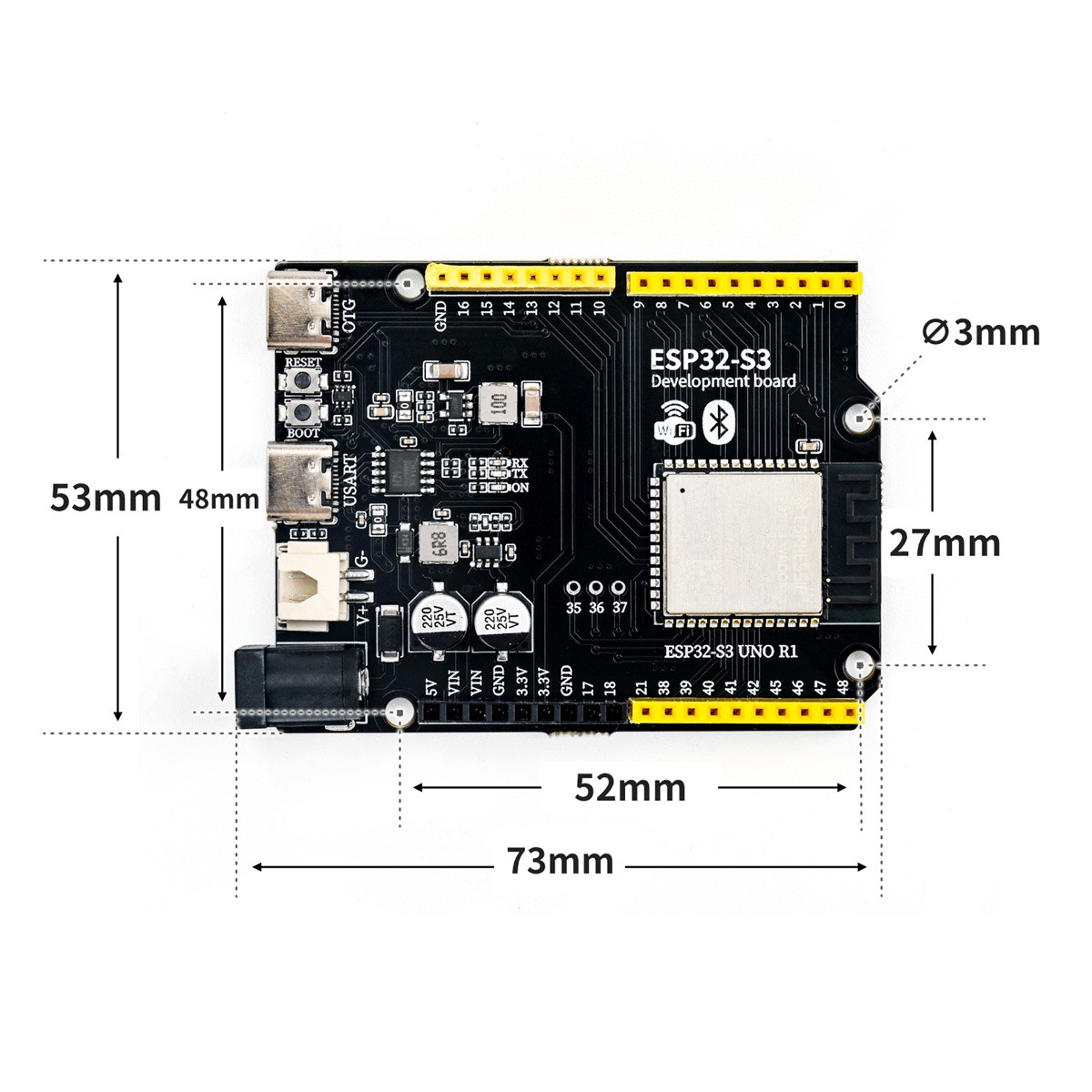
4, Circuit Board Size
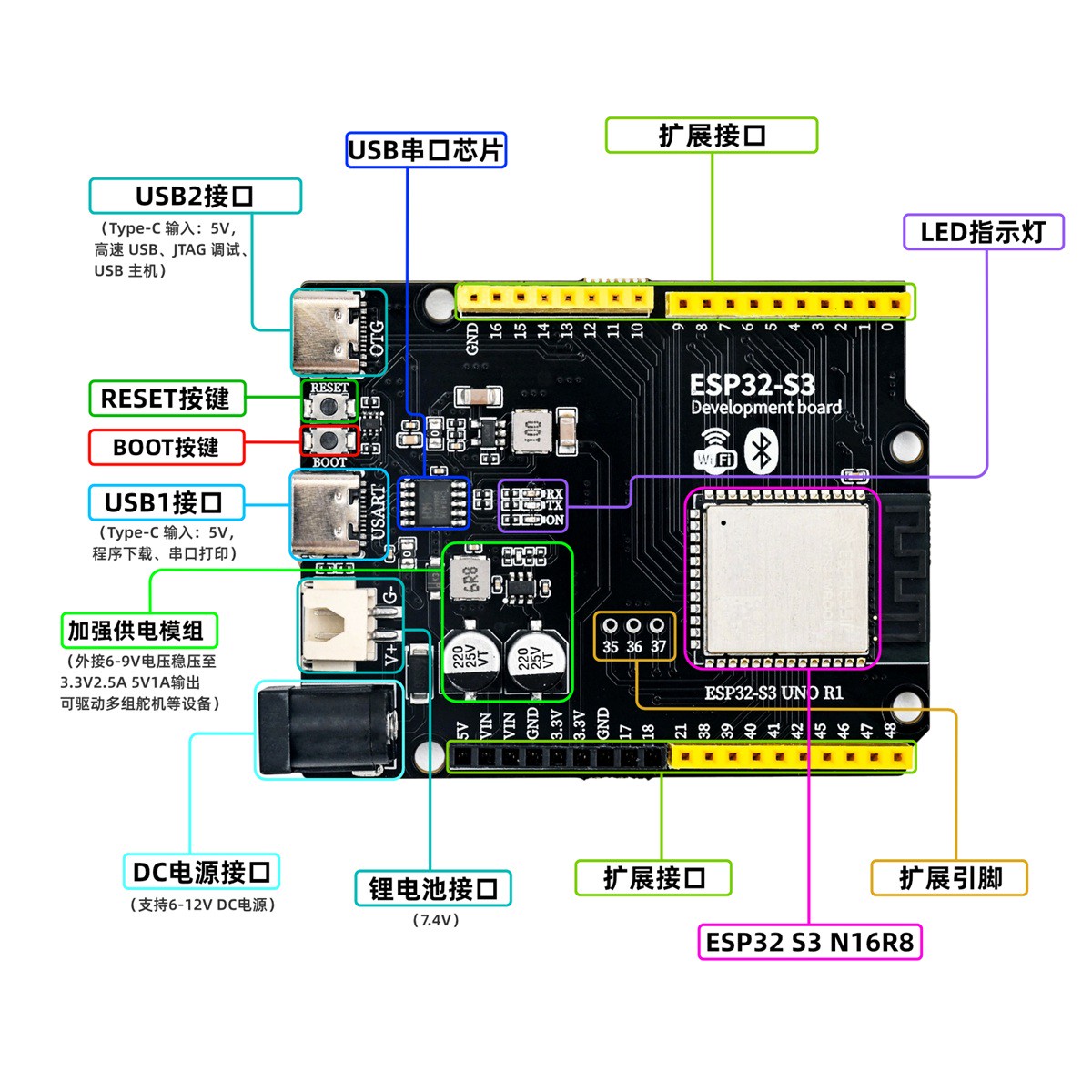
5, Development board decoding
6, Driver download and installation
Download and installation method for USB drivers for Windows 7, 8, 10, 11 systems:Click to view
Download of USB drivers for Mac OS system:Download and install instructions for CH34X USB serial Mac OS driver
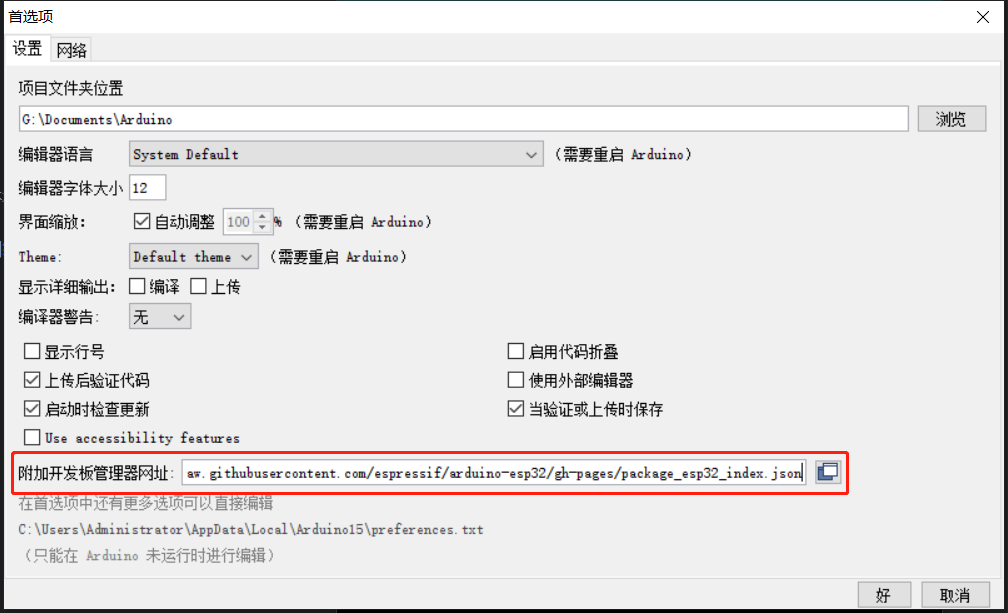
In order to develop ESP32-S3 with Arduino IDE, you need to add an additional source to the Arduino IDE board manager and then install ESP32.We need to add the ESP32 development board additional URL first.Open the Preferences under the File menu.
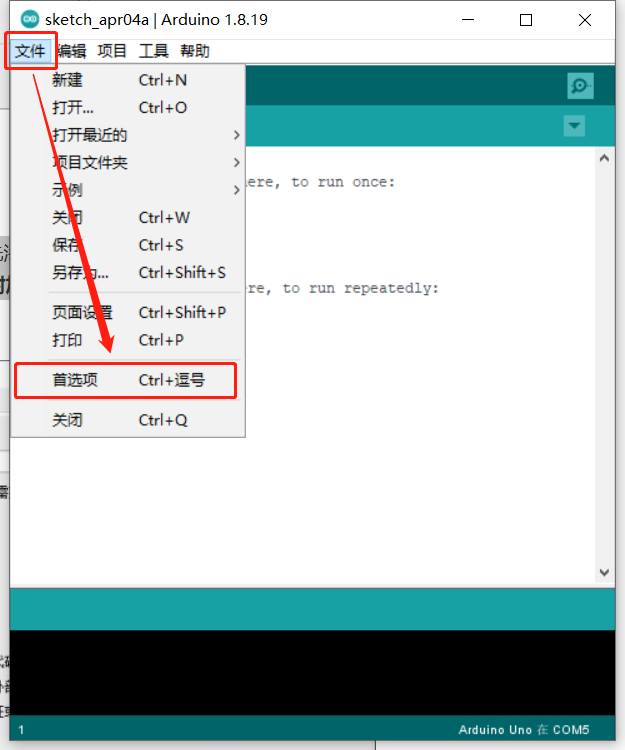
Copy and paste the following link into the Additional Development Board Management website:
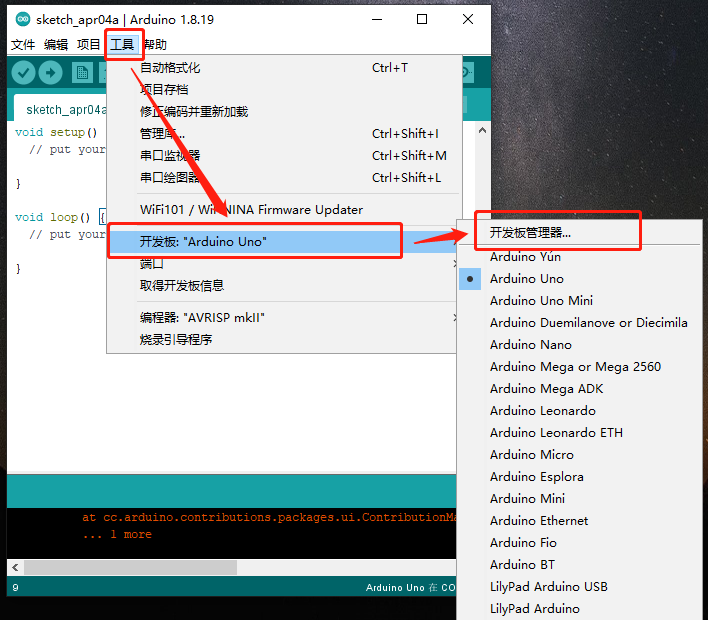
Install the ESP32 development board, select the Tools menu -> Board Manager...
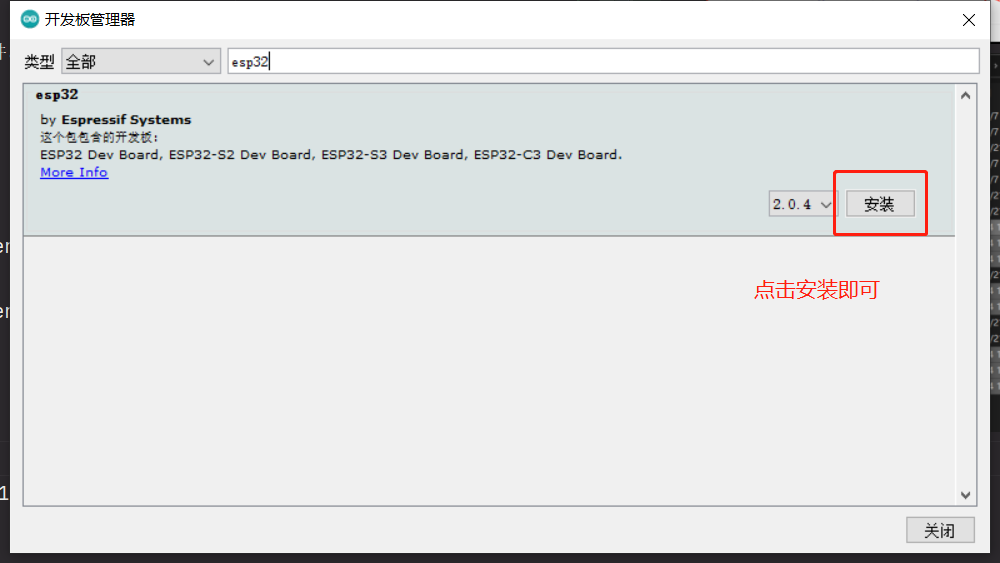
Search for esp32 in the search bar, you can see the esp32 library, select the latest version, click install, and wait for the installation to complete.
Select the corresponding development board ESP32-S3 Dev Module, select the corresponding port for ESP32-S3
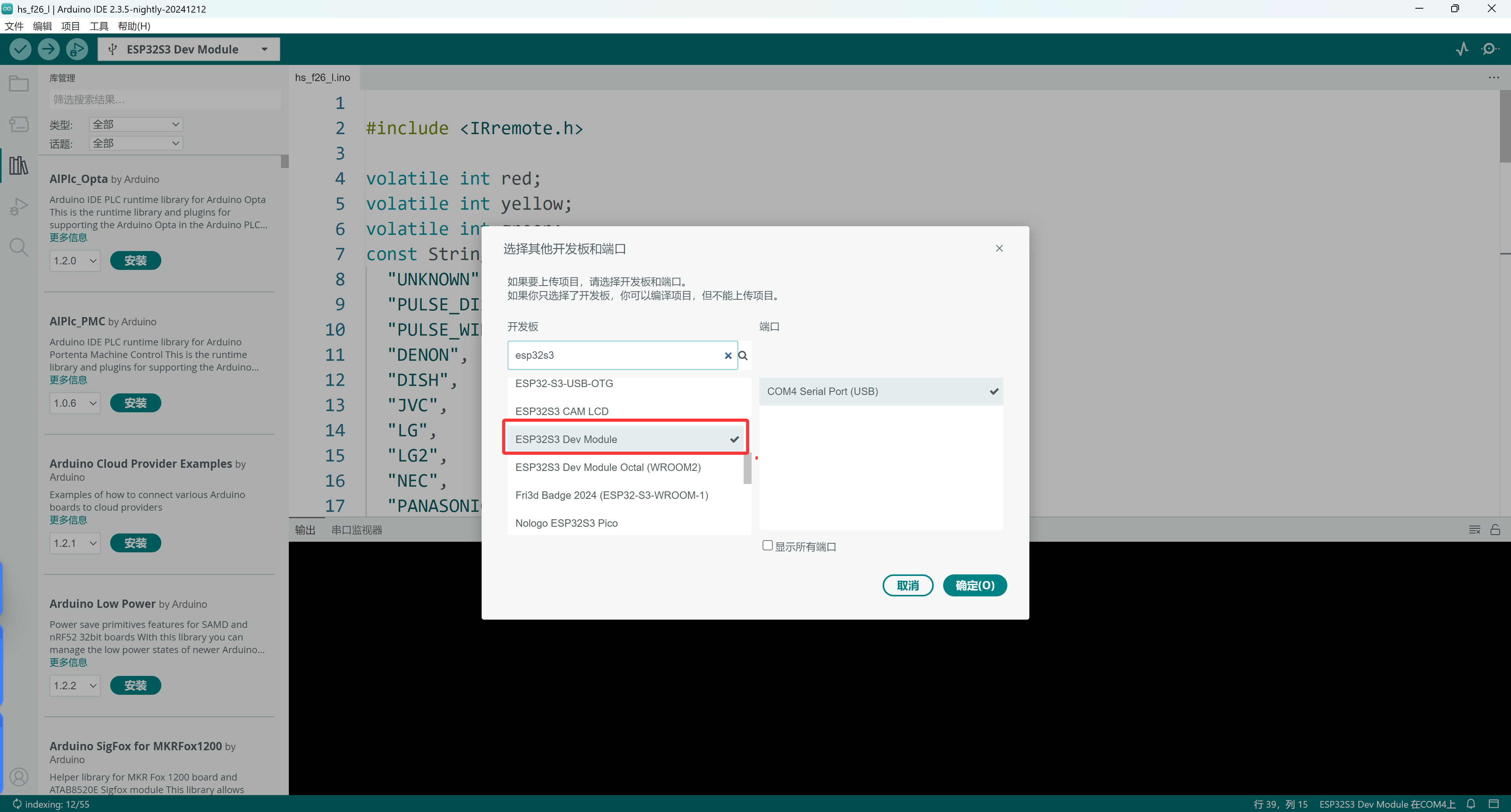
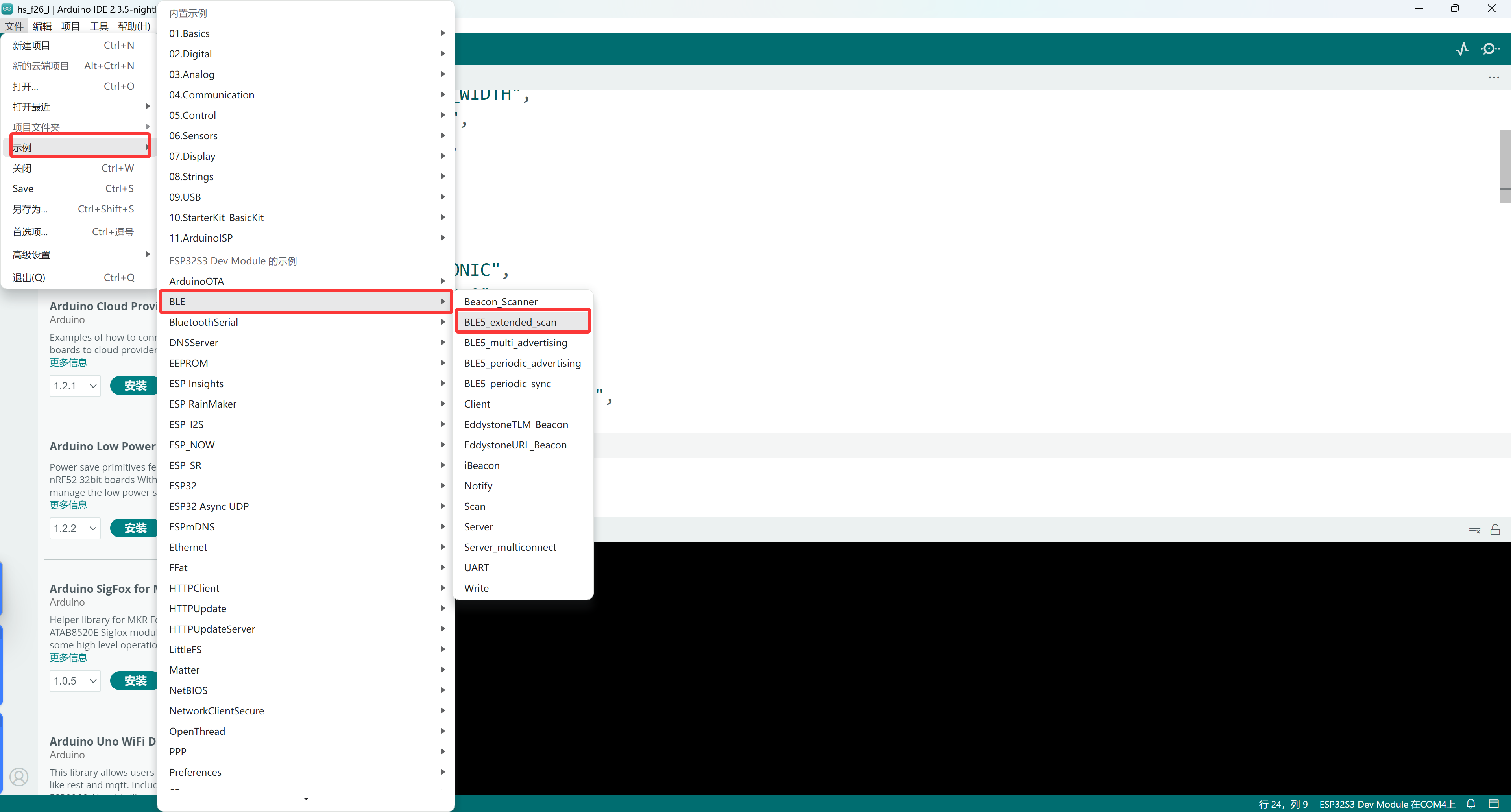
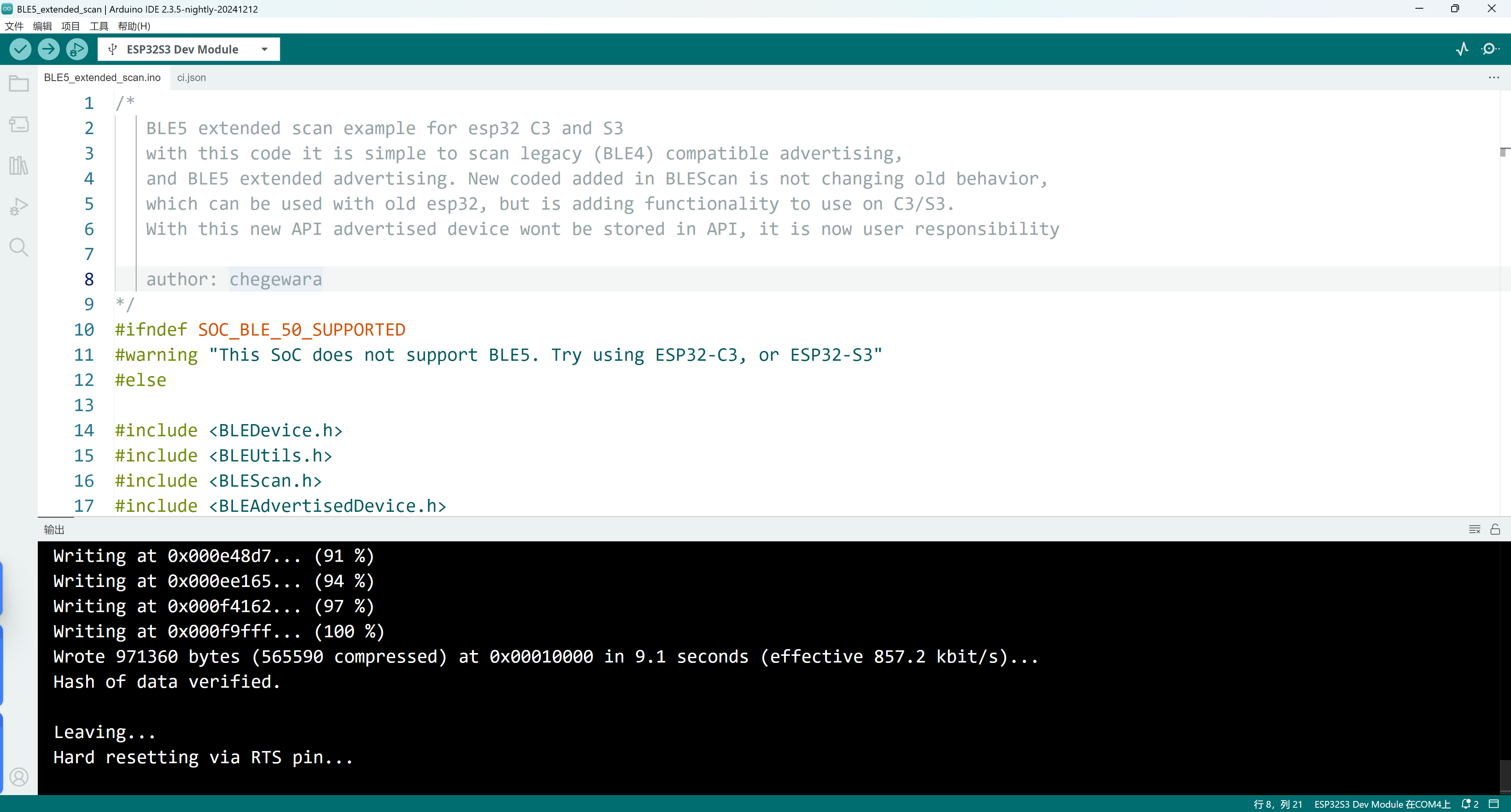
Finally, we find the official example code and click to upload.
Common questions: Solution for upload failure: Remove all the modules connected to the development board.