1. Introduction
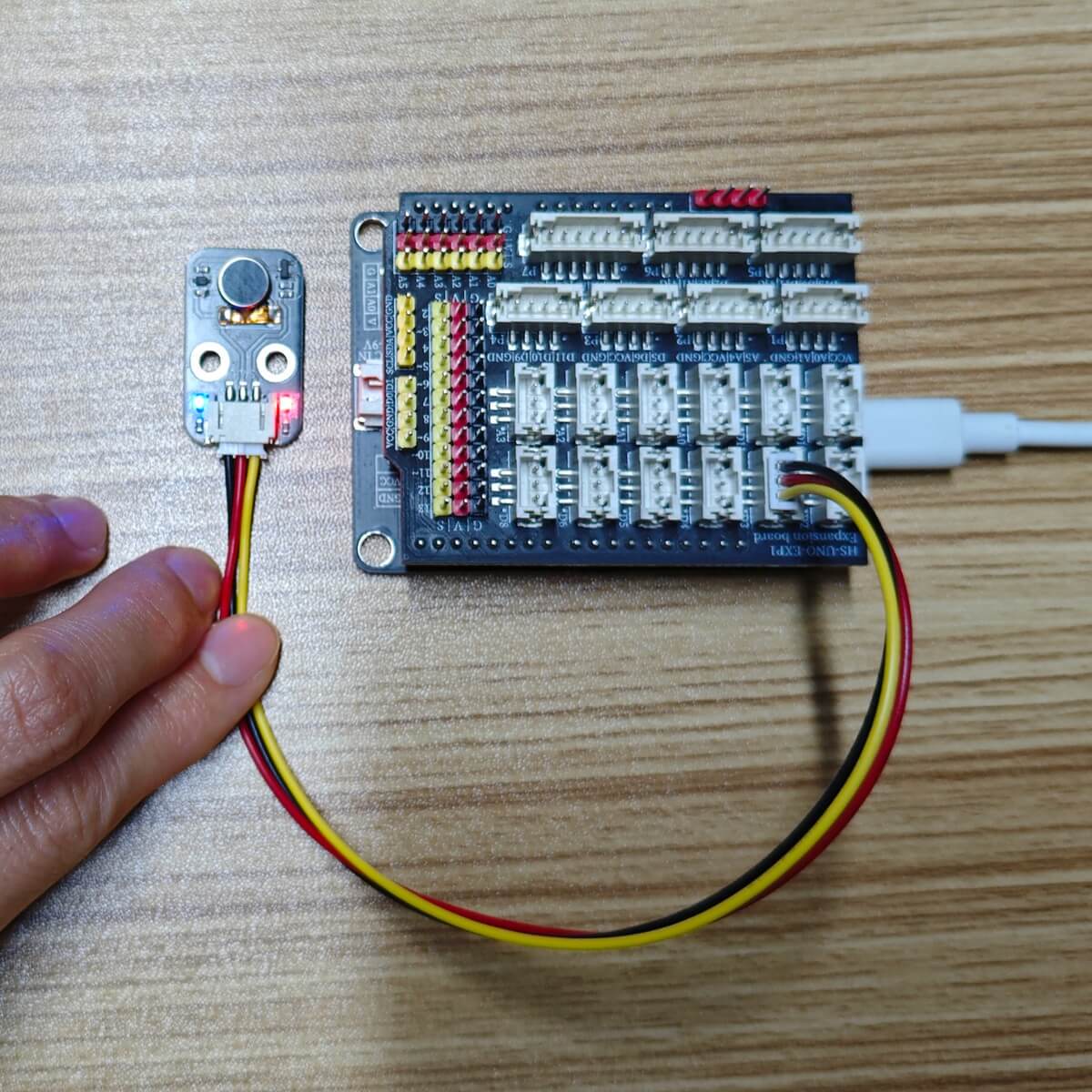
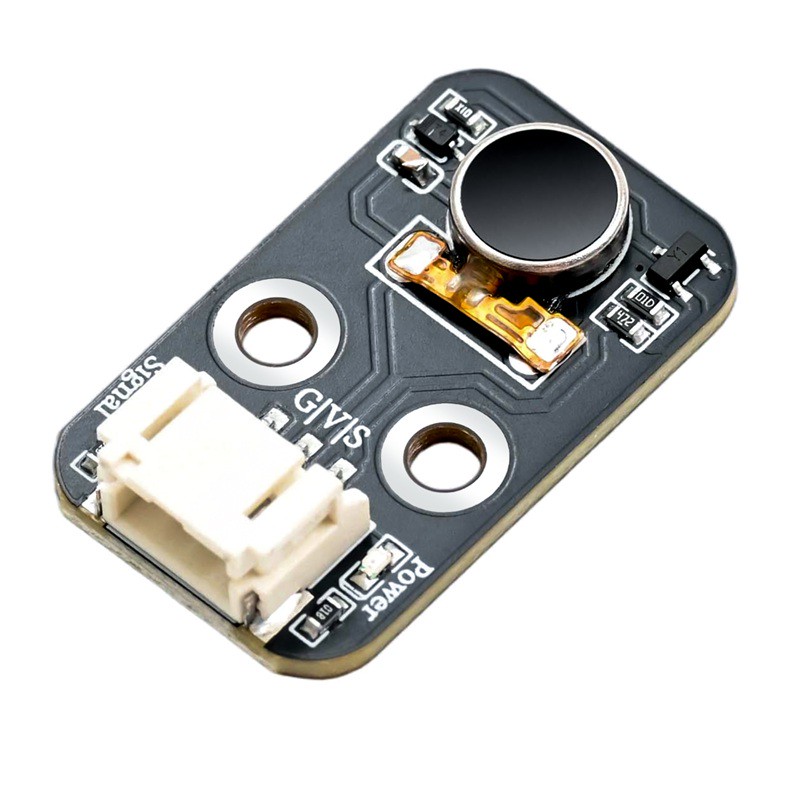
The HS-F34P vibration module is a miniature actuator that converts electrical signals into mechanical vibrations, commonly used for providing haptic feedback, alarm reminders, etc., and is very easy to use in Arduino, control board, and other development projects.The core is a micro DC eccentric motor (ERM): The motor shaft carries an eccentric metal block, which generates an unbalanced centrifugal force when powered and rotated, causing the whole unit to vibrate at high frequency.Module integrated SS050 NPN transistor as switch drive, can be directly controlled by microcontroller IO ports, no extra driver board required. Supports digital switches (high/low level) or PWM to adjust the vibration strength (duty cycle size).
2. Schematic
Vibration Module - HS-F34P SchematicClick to view
Module Parameters
Pin Name | description |
|---|---|
G | GND (Negative Power Input) |
V | VCC (Positive Power Input) |
S | Signal Pin |
Power Supply Voltage: 3.3V-5V
Connection Type: PH2.0-3P Terminal Wire
Installation Method: Double Screw Fixed
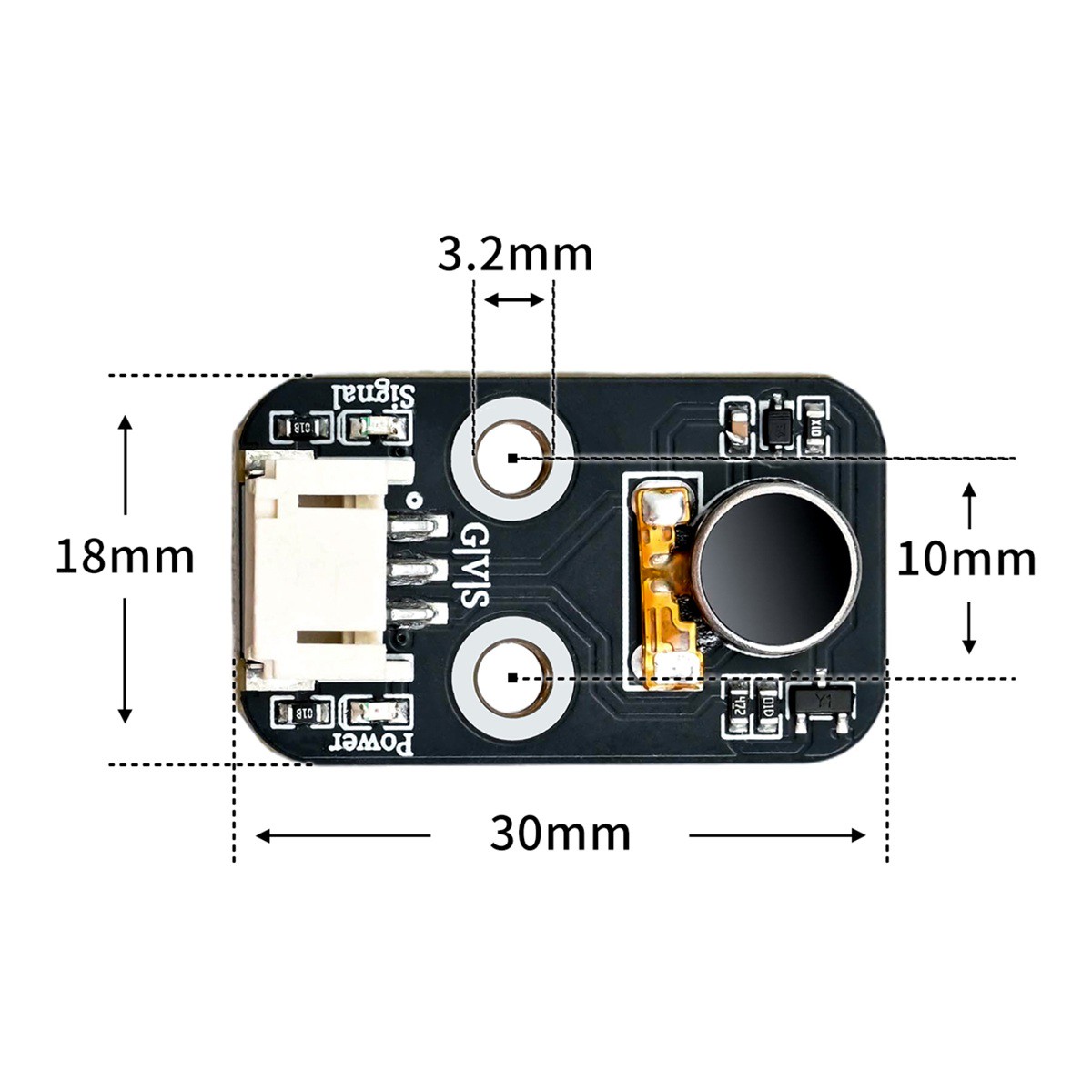
4, Circuit Board Size
5 of Arduino IDE example program
Attention: If prompted with an error message about the library file during program upload, please import the library file first!
Arduino IDE Library Download and Import Tutorial:Click to view
Example program (UNO development board):
// 函数:数字输出控制震动马达【开关启停】
// 引脚D2:数字电平,只有开/关两种状态,强度固定不变
void changeState() {
  digitalWrite(2,HIGH);   // D2输出高电平,马达震动
  delay(3000);            // 维持震动3秒
  digitalWrite(2,LOW);    // D2输出低电平,马达停止震动
  delay(3000);            // 停止3秒
}

// 函数:PWM模拟输出控制震动马达【调节震动强度】
// 引脚D3:PWM模拟输出,可以修改数值改变震动强弱
void changeIntensity() {
  analogWrite(3, 50);     // D3输出PWM,数值50,弱震动
  delay(3000);            // 弱震保持3秒
  analogWrite(3, 0);      // D3输出0,停止震动
  delay(3000);            // 静止3秒
  analogWrite(3, 255);    // D3输出PWM,数值255,最强震动
  delay(3000);            // 强震保持3秒
  analogWrite(3, 0);      // D3输出0,停止震动
  delay(3000);            // 静止3秒
}

void setup(){
  pinMode(2, OUTPUT);     // 设置D2为输出引脚(数字开关实验)
  pinMode(3, OUTPUT);     // 设置D3为输出引脚(PWM强度实验)
}

/*
=====实验备注(复制放到IDE代码末尾,或者PPT文字)=====
两个代码都可以。
模拟输出可以控制震动强度;
数字输出高电平为震动,低电平为不震动。
二选一。
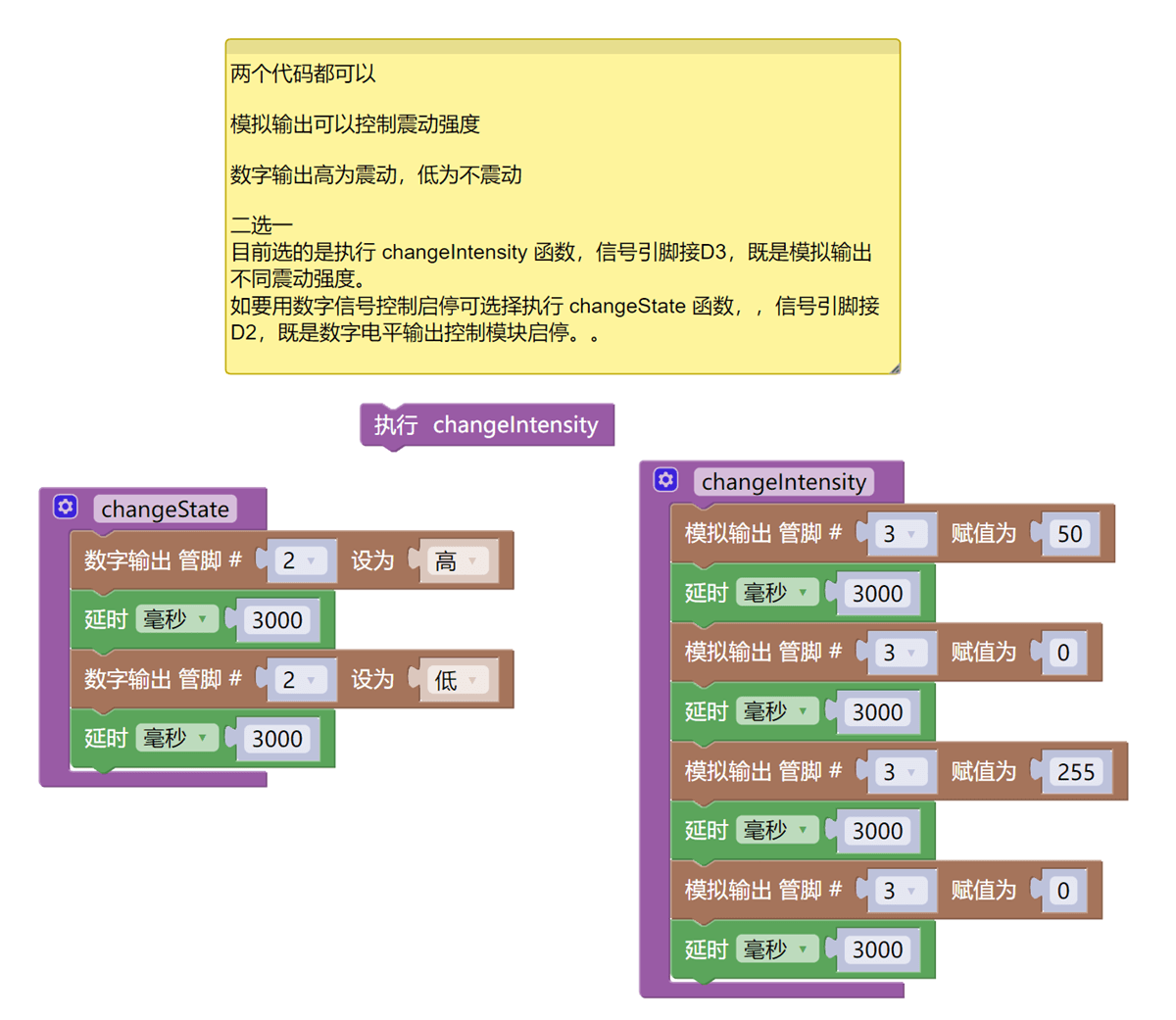
目前选的是执行 changeIntensity 函数,信号引脚接D3,使用模拟输出实现不同震动强度。
如要用数字信号控制启停,可选择执行 changeState 函数,信号引脚接D2,使用数字电平输出控制模块启停。
*/
void loop(){
  // ========== 实验二选一,修改这里 ==========
  // changeState();       // 【数字开关实验】取消注释,使用D2引脚
  changeIntensity();      // 【PWM强度实验】当前启用,使用D3引脚
}
6, Miciqi Mixly Example Program (Graphical Language)
Example program (UNO development board):Click to download
Attention: If prompted with an error message about the library file during program upload, please import the library file first!
Download and import tutorial of Mixly IDE Arduino library:Click to view
Example Program (ESP32 Development Board):
Pending update...
7, Test Environment Setup
Arduino UNO Test Environment Setup
Prepare Components:
HELLO STEM UNO R3 PRO DEVELOPMENT BOARD *1
HELLO STEM UNO EXP1 Expansion Board *1
USB TYPE-C DATA CABLE *1
Sensor Module (HS-F34P) *1
PH2.0 3P Double Terminal Line *1
Circuit wiring diagram:
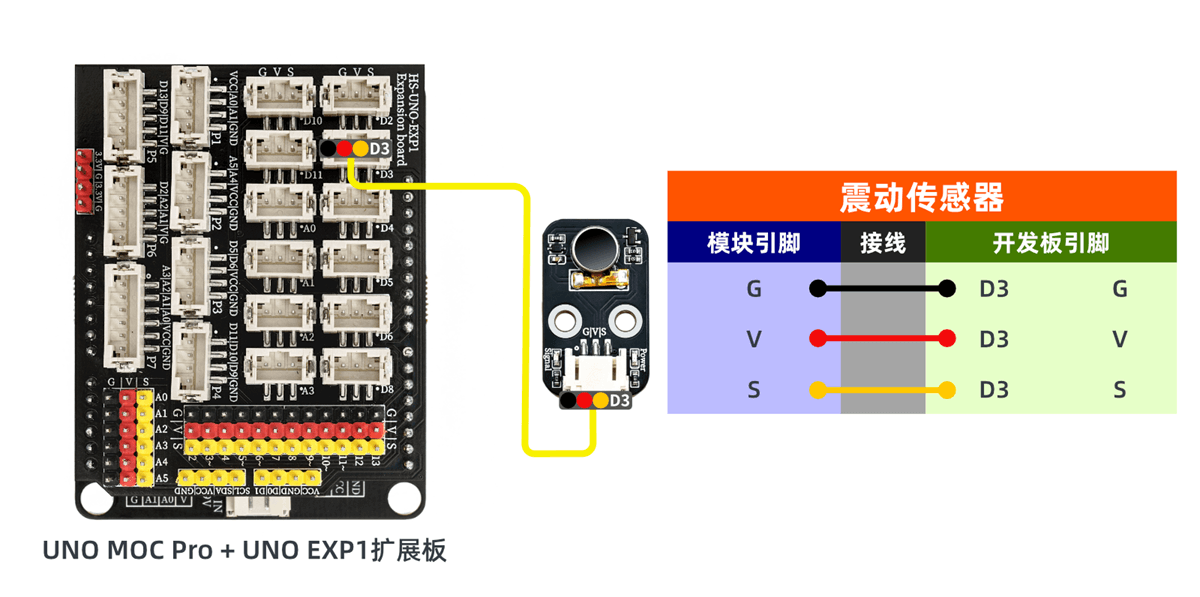
ESP32 Test Environment Setup
Prepare Components:Pending update...
Circuit wiring diagram:Pending update...
8. Test results
Arduino UNO test results:
By experiment, we can observe that after wiring and uploading the program to the Arduino UNO development board, the vibration motor operates according to the program: weak vibration for 3 seconds, stop for 3 seconds, strongest vibration for 3 seconds, stop for 3 seconds, and repeat cyclically.