1. Introduction
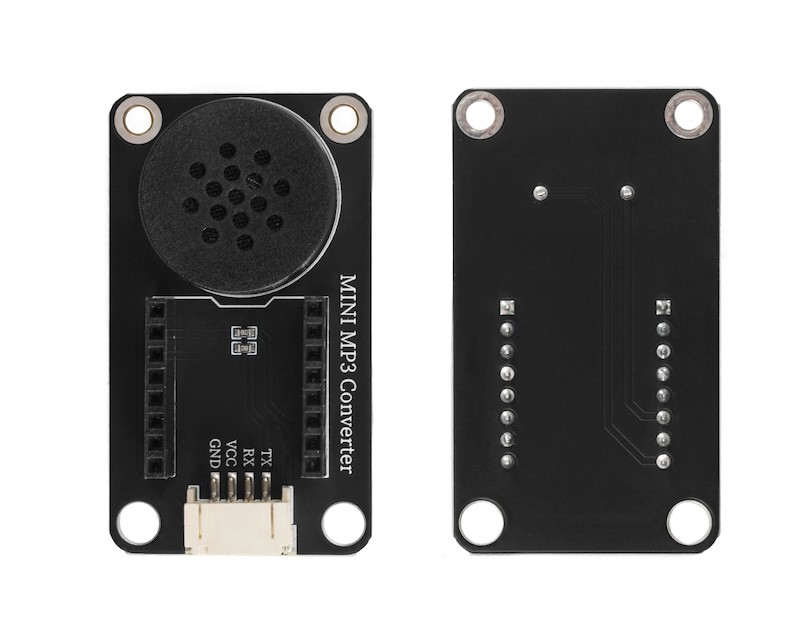
Use the Mini MP3 module to play MP3 songs from a storage card, it is necessary to add a speaker and connect the Mini MP3 module separately, and then connect the Mini MP3 module to the main control board such as Arduino via DuPont wires to achieve the MP3 playback function.Our product has integrated a speaker and is equipped with two rows of 8P single-row female sockets, which can directly insert the Mini MP3 module (the direction of the storage card slot and the 4P terminal port are the same), and is compatible with LEGO bricks. It can be connected to the main control board such as Arduino through the 4P terminal to DuPont wires for program design, thereby realizing simple MP3 playback function.
2. Schematic
MINI-MP3-Converter-HS-S51-PL SchematicClick to view
Module Parameters
Pin Name | description |
|---|---|
GND | GND (Negative Power Input) |
VCC | VCC (Positive Power Input) |
RX | Signal receiving interface |
TX | Signal transmitting interface |
Power Supply Voltage: 3.3V / 5V
Connection Method: PH2.0 4P Terminal
Installation Method: Double Screw Fixed
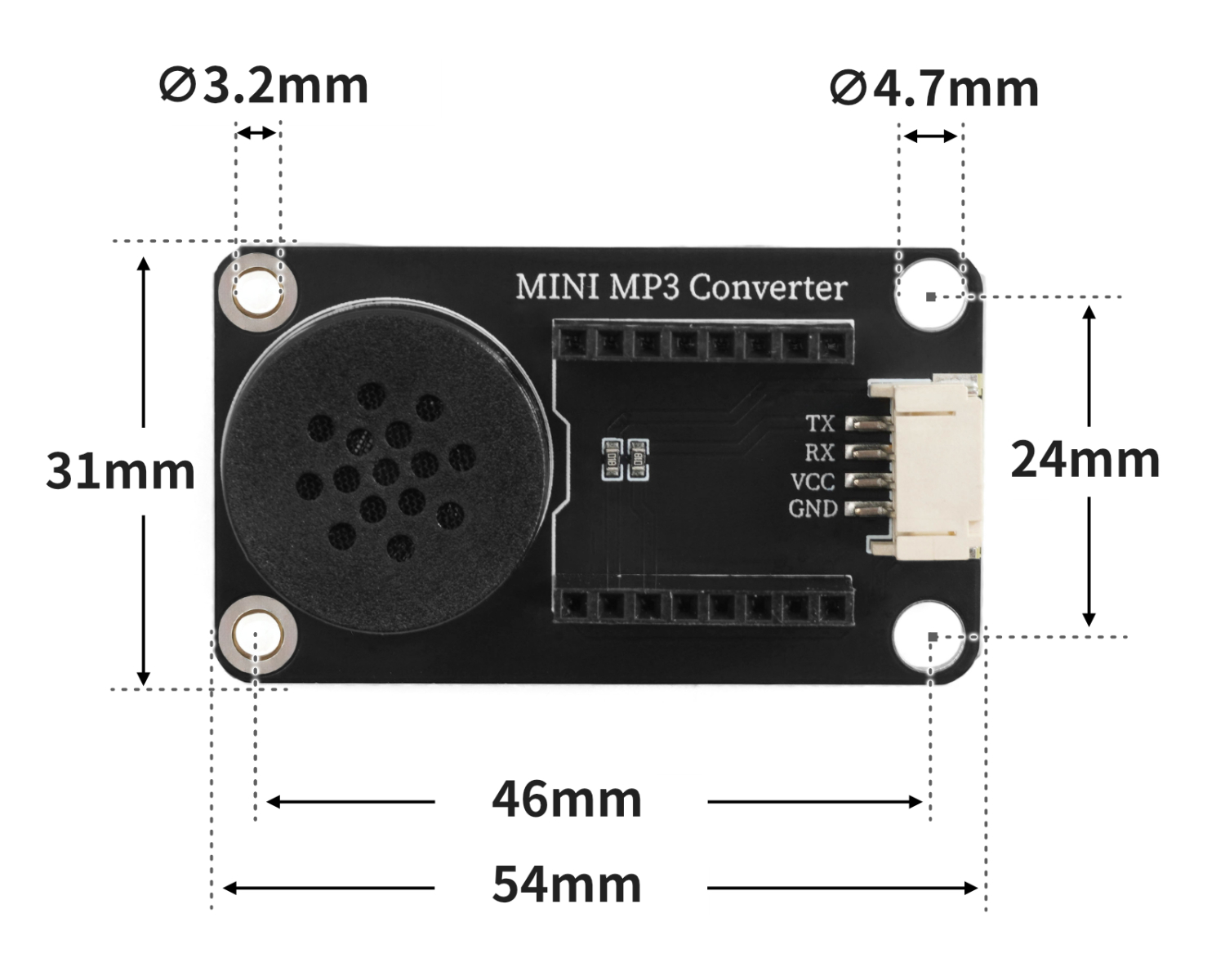
4, Circuit Board Size
5 of Arduino IDE example program
Attention: If prompted with an error message about the library file during program upload, please import the library file first!
Arduino IDE Library Download and Import Tutorial:Click to view
Example program (UNO development board):
#include <SoftwareSerial.h>
#include "Arduino.h"
#include "DFRobotDFPlayerMini.h"

SoftwareSerial mySerial(5,6);
DFRobotDFPlayerMini myPlayer;

void setup(){
  mySerial.begin(9600);
  myPlayer.begin(mySerial);
  myPlayer.setTimeOut(500);
  myPlayer.outputDevice(DFPLAYER_DEVICE_SD);
  myPlayer.EQ(DFPLAYER_EQ_NORMAL);
  myPlayer.volume(50);
}

void loop(){
  myPlayer.play(1);
  delay(1000);
  myPlayer.play(2);
  delay(1000);
  myPlayer.play(3);
  delay(1000);

}
6, ESP32 Python Example (for Mixly IDE/Misashi)
Choose the development board Python ESP32 [ESP32 Generic(4MB)] and upload in code mode
Attention: If prompted with an error message about the library file during program upload, please import the library file first!
Download and import tutorial for Mixly IDE ESP32 library:Click to view
Example program (ESP32-Python):
待更新...7, Mixly example program (graphical language)
Example program (UNO development board):Click to download
Attention: If prompted with an error message about the library file during program upload, please import the library file first!
Download and import tutorial of Mixly IDE Arduino library:Click to view
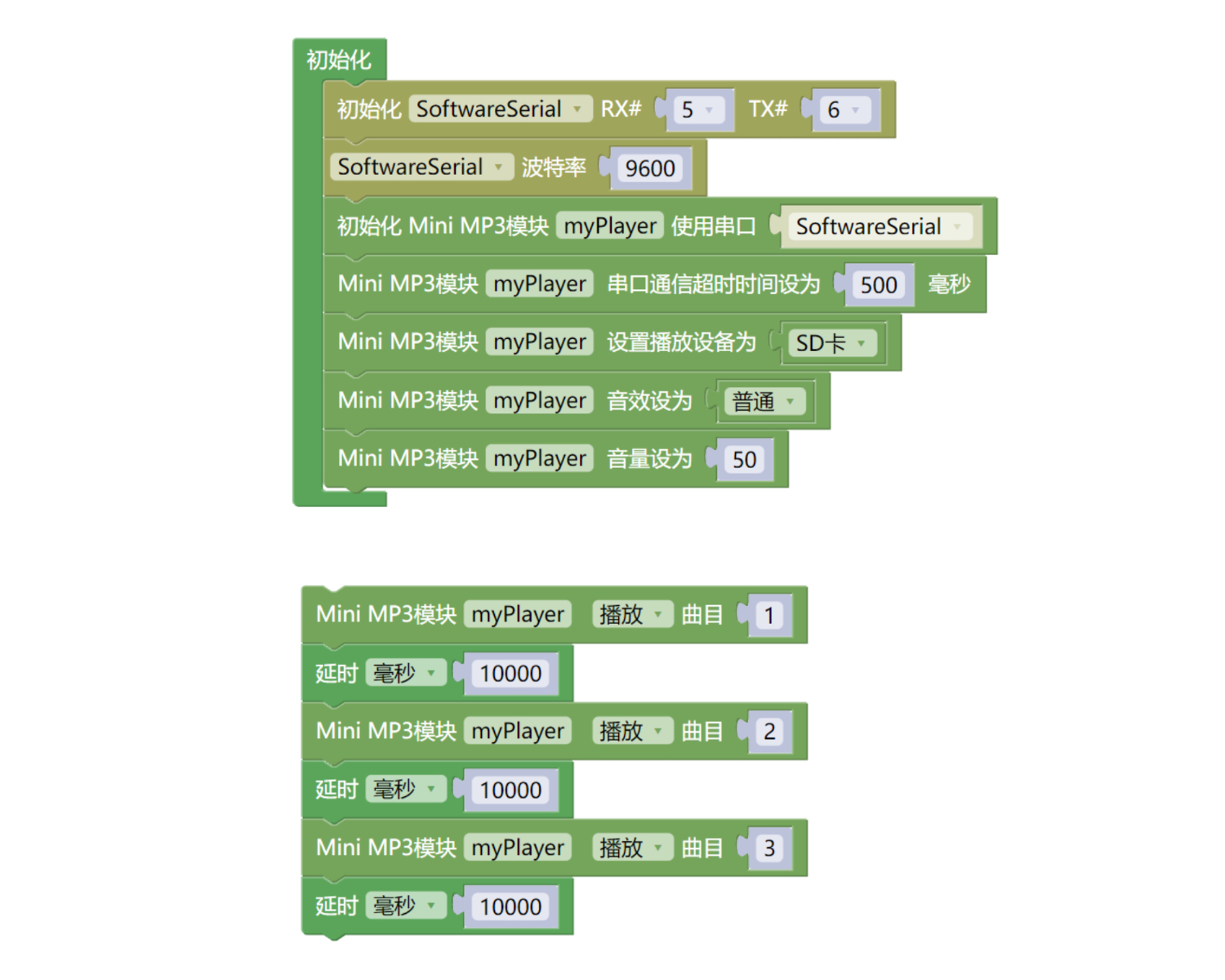
Example Program (ESP32 Development Board):Click to download
Attention: If prompted with an error message about the library file during program upload, please import the library file first!
Download and import tutorial for Mixly IDE ESP32 library:Click to view
Image pending update...
8. Setting up the Test Environment
Arduino UNO Test Environment Setup
Prepare Components:
HELLO STEM UNO R3 PRO DEVELOPMENT BOARD *1
UNO R3P expansion board*1
USB TYPE-C DATA CABLE *1
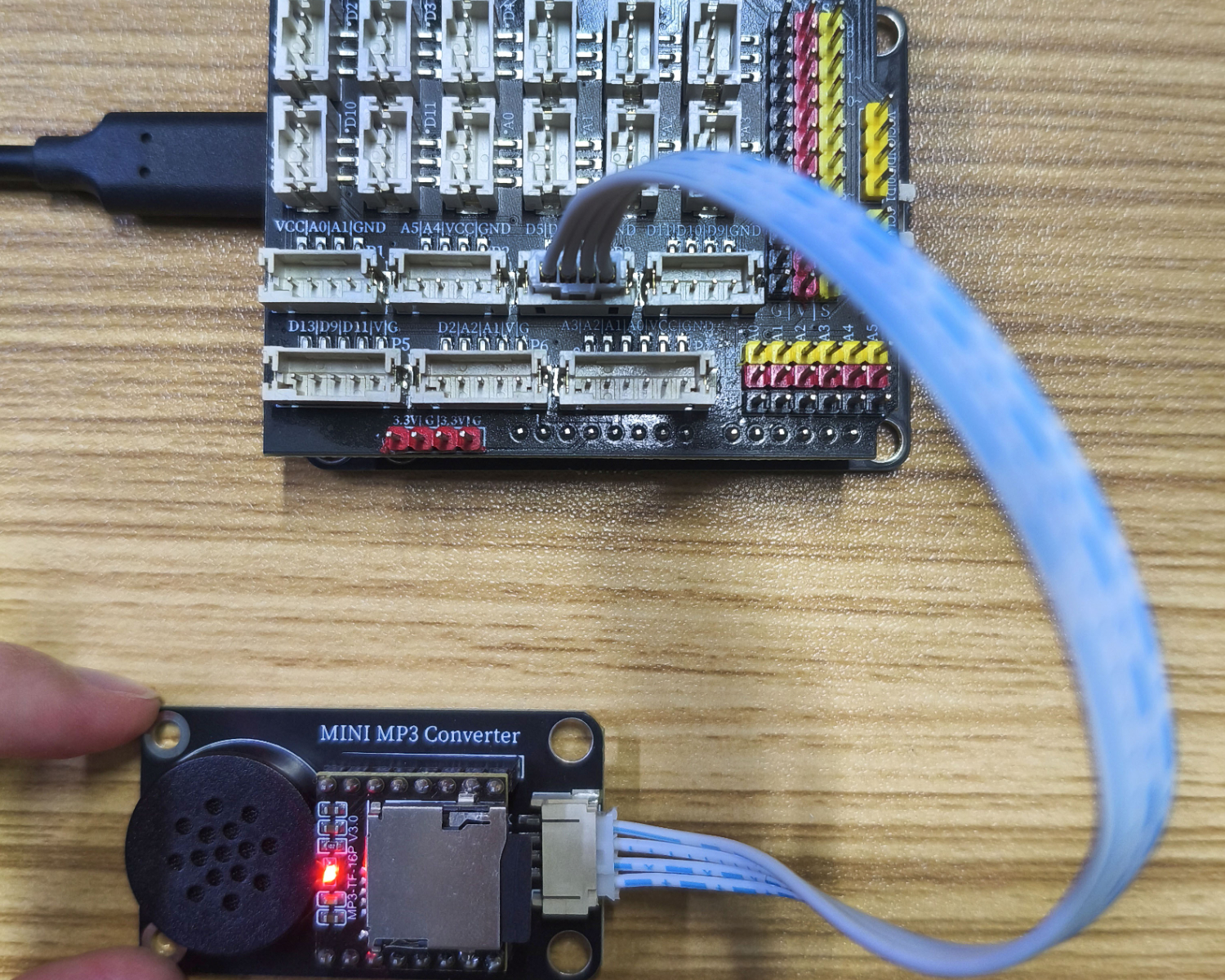
Mini MP3 adapter (HS-F51-L)*1
PH2.0 4P wire 1 pc.
Circuit wiring diagram:
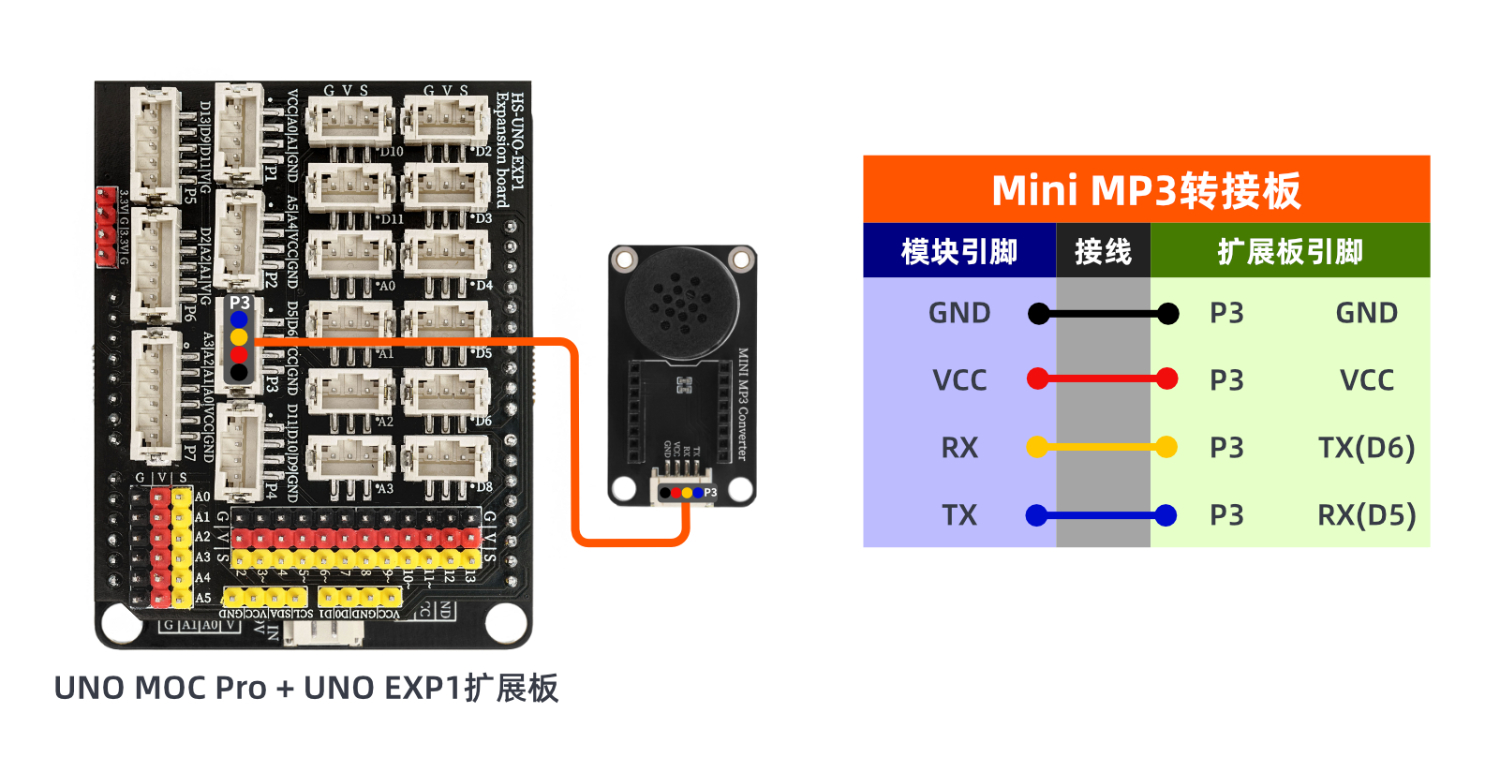
9, Video tutorial
Video tutorial:Click to view
10, Test results
Arduino UNO test results:
After the device is connected to the wire, after the above program is burned to the Arduino UNO development board, 3 songs will be played in order.