1. Introduction
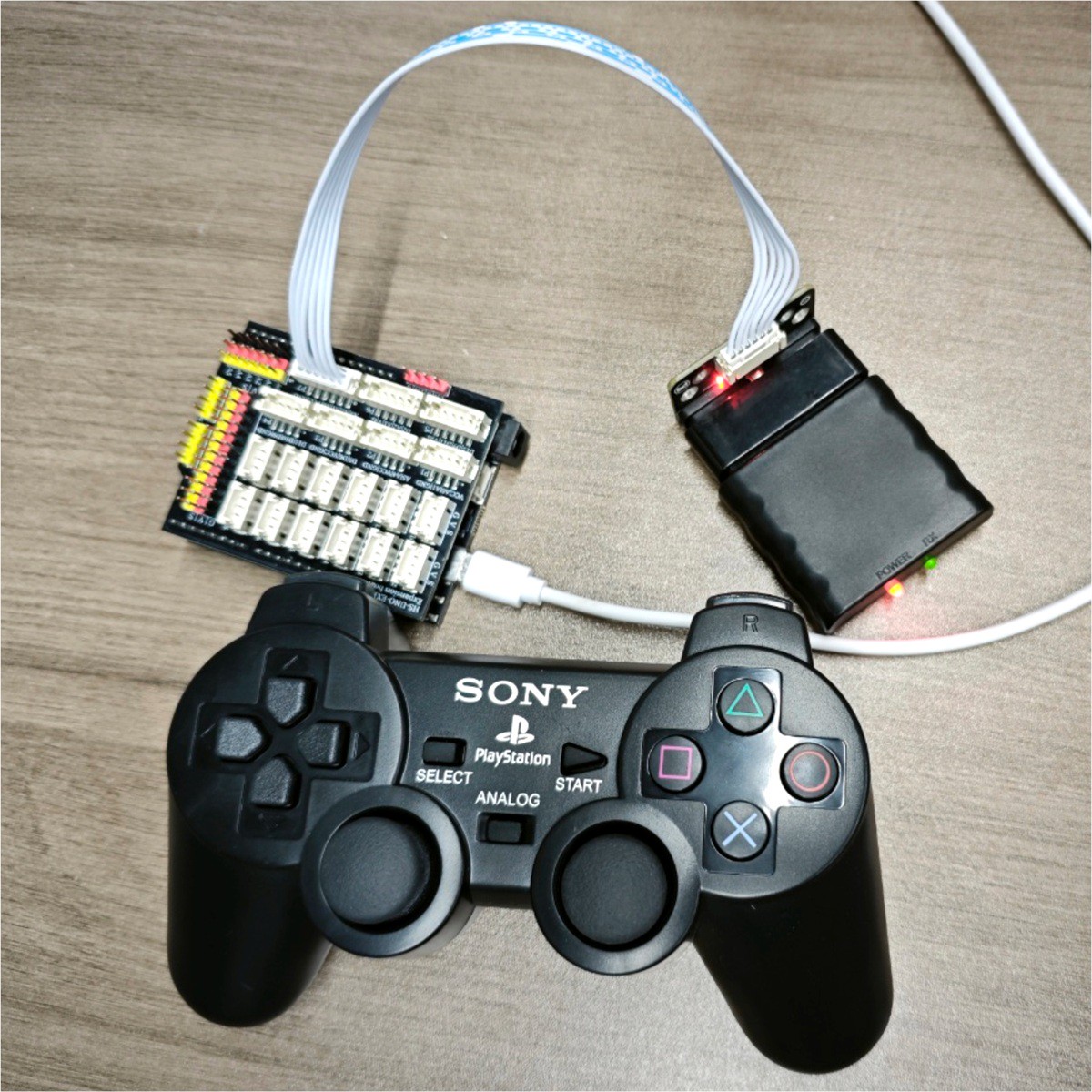
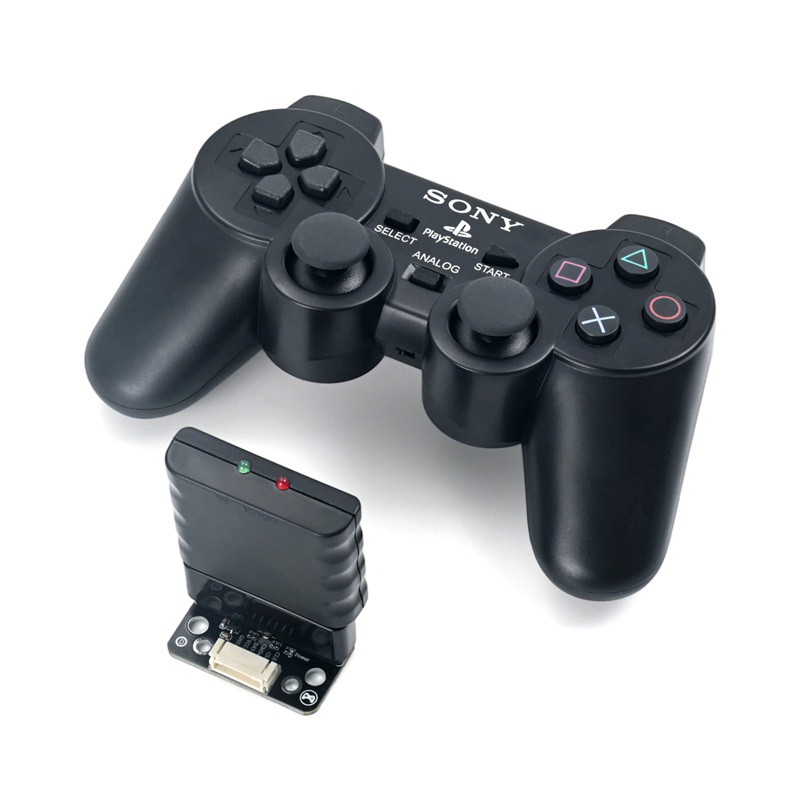
HS-S76-PL is a PS2 receiver socket adapter module, the module itself does not come with a wireless transmitter and receiver unit, and needs to be paired with a PS2 wireless controller receiver.The controller and receiver use a 2.4G private wireless protocol, offering stable connection and sensitive response, supporting automatic sleep to save power, the START button wakes up with one touch, and multiple devices can work simultaneously without interference.Module integrated 662K LDO voltage regulator, supporting 3.3V~5V wide voltage supply, signal loop equipped with current limiting protection resistor, paired with gold-plated PCB, anti-interference and anti-aging.Built-in standard PS2 female connector, compatible with 7-pin PS2 receiver, plug and play; leads PH2.0-6P anti-reverse plug connector, which can effectively prevent wiring errors from burning out the circuit.The module can connect to various microcontroller mainboards such as Arduino, ESP32, and Master Control Board, read PS2 gamepad joystick and button data, suitable for DIY, robot, smart car, mechanical arm and other remote control project development.
2. Schematic
HS-S76-PL PS2 Receptacle Click to View
Module Parameters
Pin Name | description |
|---|---|
G | GND (Negative Power Input) |
V | VCC (Positive Power Input) |
DAT | The controller transmits 8-bit serial data to the host, reading data at the falling edge (high to low) of the clock |
CMD | Host to controller, 8-bit serial data, sent at the falling edge of the clock, paired with DAT |
CS | Communication enabled, set to low level during communication |
CLK | Synchronization clock signal provided by the host |
Power Supply Voltage: 3.3V / 5V
Connection method: PH2.0 6P terminal
Installation Method: Screw/Building Block Fastening
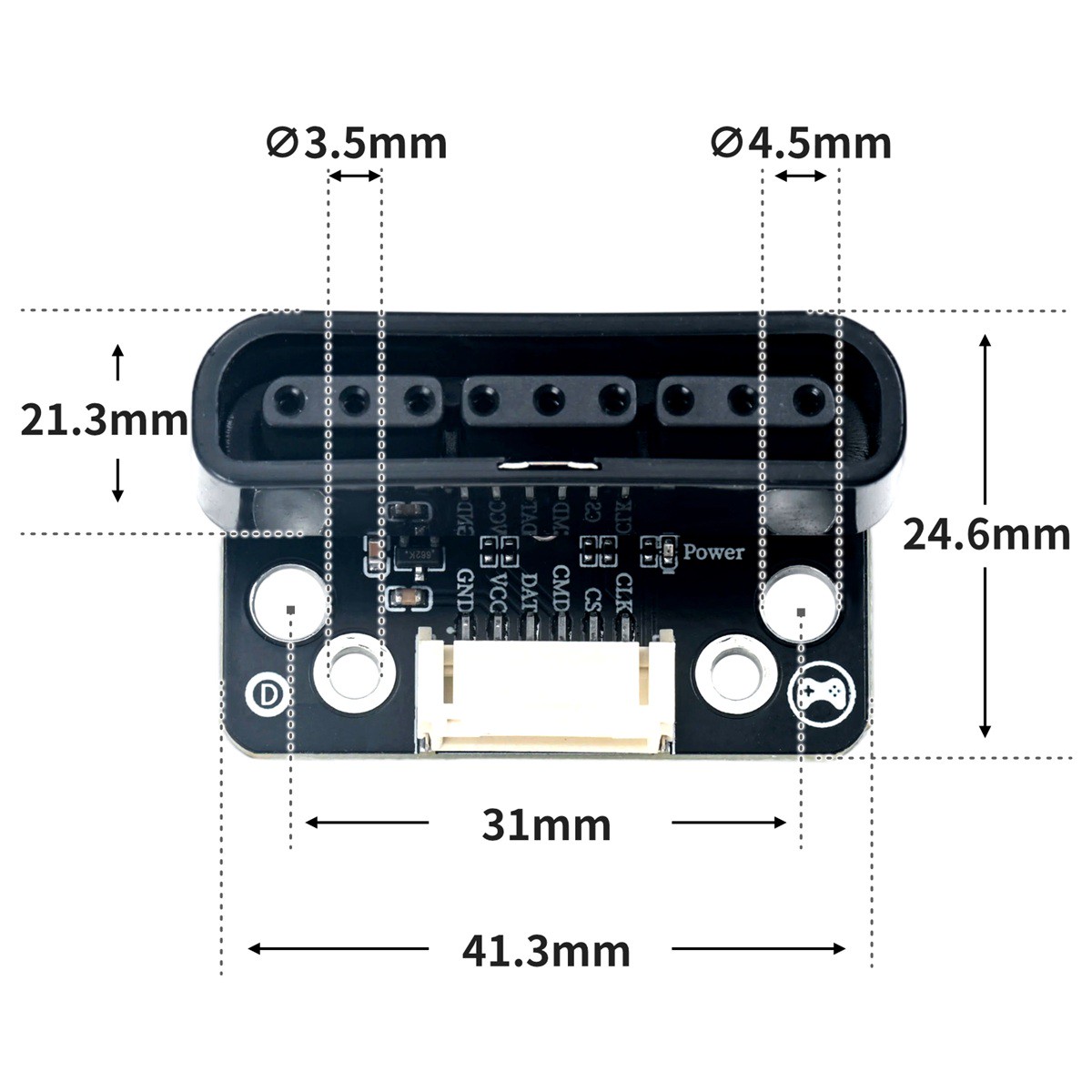
Installation hole parameters: Hole diameter 4.5/3.5mm, hole spacing 31/23.3mm
4, Circuit Board Size
5 of Arduino IDE example program
Attention: If prompted with an error message about the library file during program upload, please import the library file first!
Arduino IDE Library Download and Import Tutorial:Click to view
Example program (UNO development board):
#include <PS2X_lib.h>

PS2X ps2x;

void setup(){
  ps2x.config_gamepad(A3,A1,A2,A0, true, true);
  delay(300);

  Serial.begin(9600);
}

void loop(){
  ps2x.read_gamepad(false, 0);
  delay(30);
  Serial.print(String("摇杆右侧X值:") + String(ps2x.Analog(PSS_RX)));
  Serial.print(String(" 摇杆右侧Y值:") + String(ps2x.Analog(PSS_RY)));
  Serial.print(String(" 摇杆左侧X值:") + String(ps2x.Analog(PSS_LX)));
  Serial.println(String(" 摇杆左侧Y值:") + String(ps2x.Analog(PSS_LY)));
  if (ps2x.Button(PSB_GREEN) == 1) {
    Serial.println("三角形键按住");

  }
  if (ps2x.Button(PSB_RED) == 1) {
    Serial.println("圆形键按住");

  }
  if (ps2x.Button(PSB_BLUE) == 1) {
    Serial.println("X键按按住");

  }
  if (ps2x.Button(PSB_PINK) == 1) {
    Serial.println("方形键按住");

  }
  if (ps2x.Button(PSB_L1) == 1) {
    Serial.println("左侧1按住");

  }
  if (ps2x.Button(PSB_L2) == 1) {
    Serial.println("左侧2按住");

  }
  if (ps2x.Button(PSB_R1) == 1) {
    Serial.println("右侧1按住");

  }
  if (ps2x.Button(PSB_R2) == 1) {
    Serial.println("右侧2按住");

  }
  if (ps2x.Button(PSB_PAD_UP) == 1) {
    Serial.println("方向键上按住");

  }
  if (ps2x.Button(PSB_PAD_RIGHT) == 1) {
    Serial.println("方向键右按住");

  }
  if (ps2x.Button(PSB_PAD_DOWN) == 1) {
    Serial.println("方向键下按住");

  }
  if (ps2x.Button(PSB_PAD_LEFT) == 1) {
    Serial.println("方向键左按住");

  }
  if (ps2x.Button(PSB_SELECT) == 1) {
    Serial.println("选择键按住");

  }
  if (ps2x.Button(PSB_START) == 1) {
    Serial.println("开始键按住");

  }
  Serial.println("");
  delay(50);

}
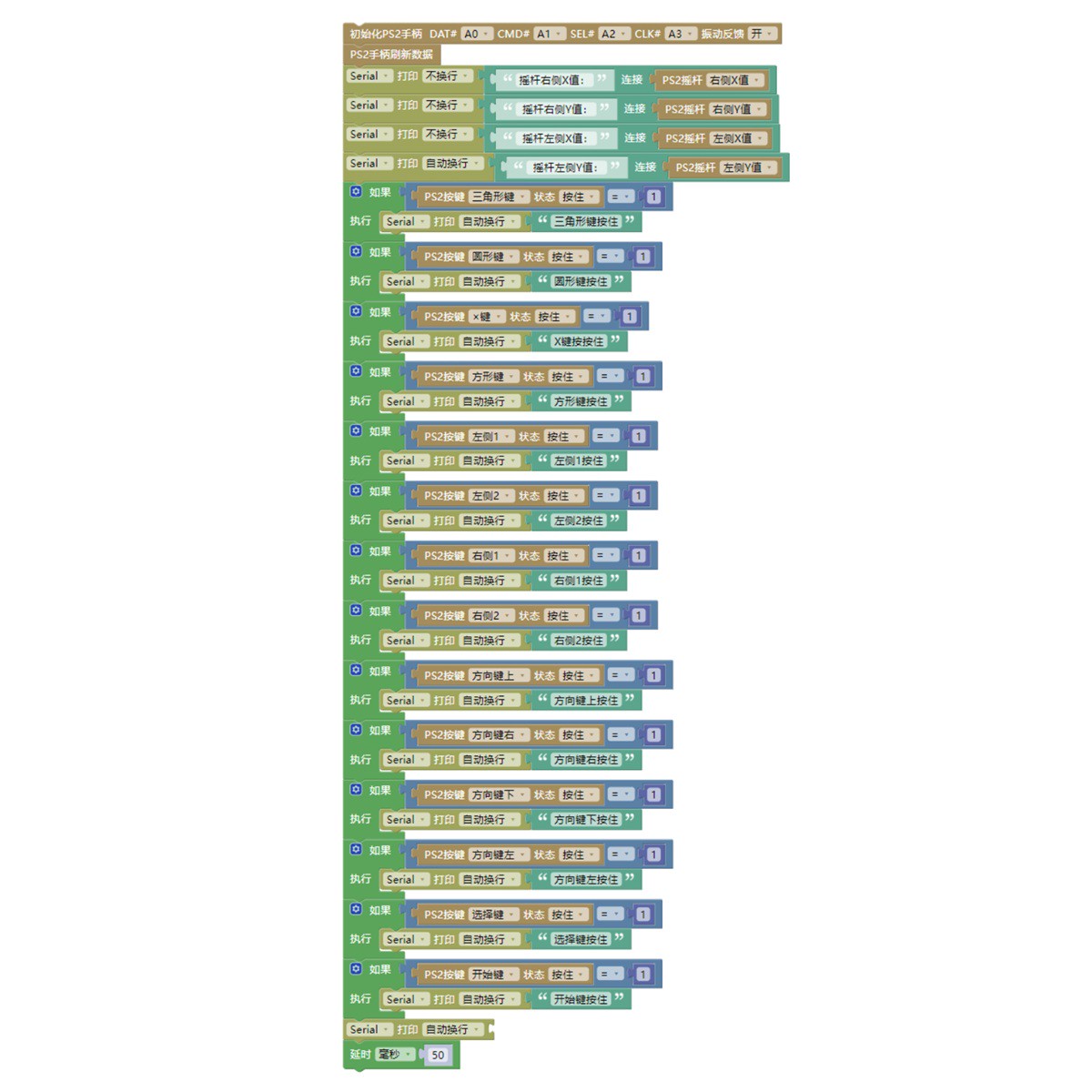
6, Miciqi Mixly Example Program (Graphical Language)
Example program:Click to download
Attention: If prompted with an error message about the library file during program upload, please import the library file first!
Download and import tutorial of Mixly IDE Arduino library:Click to view
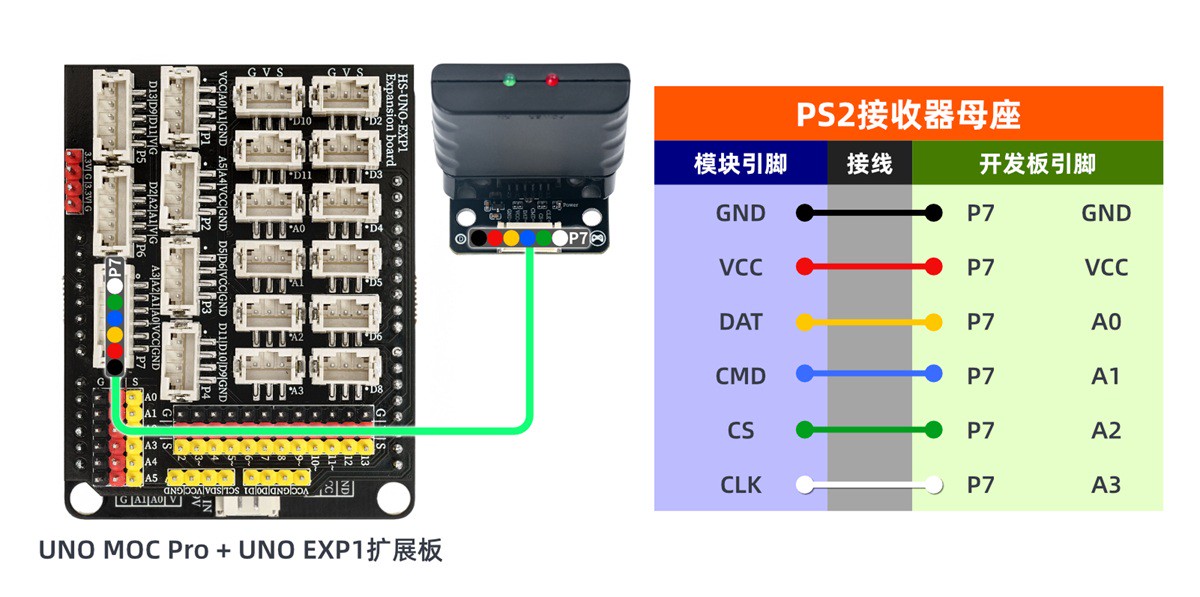
7, Test Environment Setup
Arduino UNO Test Environment Setup
Prepare Components:
HELLO STEM UNO R3 DEVELOPMENT BOARD *1
HS-UNO-EXP1 expansion board*1
USB TYPE-C DATA CABLE *1
PS2 wireless handle*1
PS2 wireless receiver *1
5# battery box *1
PH2.0-6P double-ended terminal line *1
Circuit wiring diagram:
8. Test results
Arduino UNO test results:
After the device is connected, burn the sample program to the Arduino UNO development board, power on the module, insert the PS2 receiver into the module socket, turn on the PS2 controller power to complete pairing. The program continuously collects the left and right joysticks' 0-255 analog values, detects the pressing status of the triangle, circular, directional keys, L1/R2, and other buttons, outputs the joystick values and button prompt information at a baud rate of 9600, operates the controller buttons and moves the joysticks, and the corresponding data can be printed on the serial port, which can realize remote control of external devices.