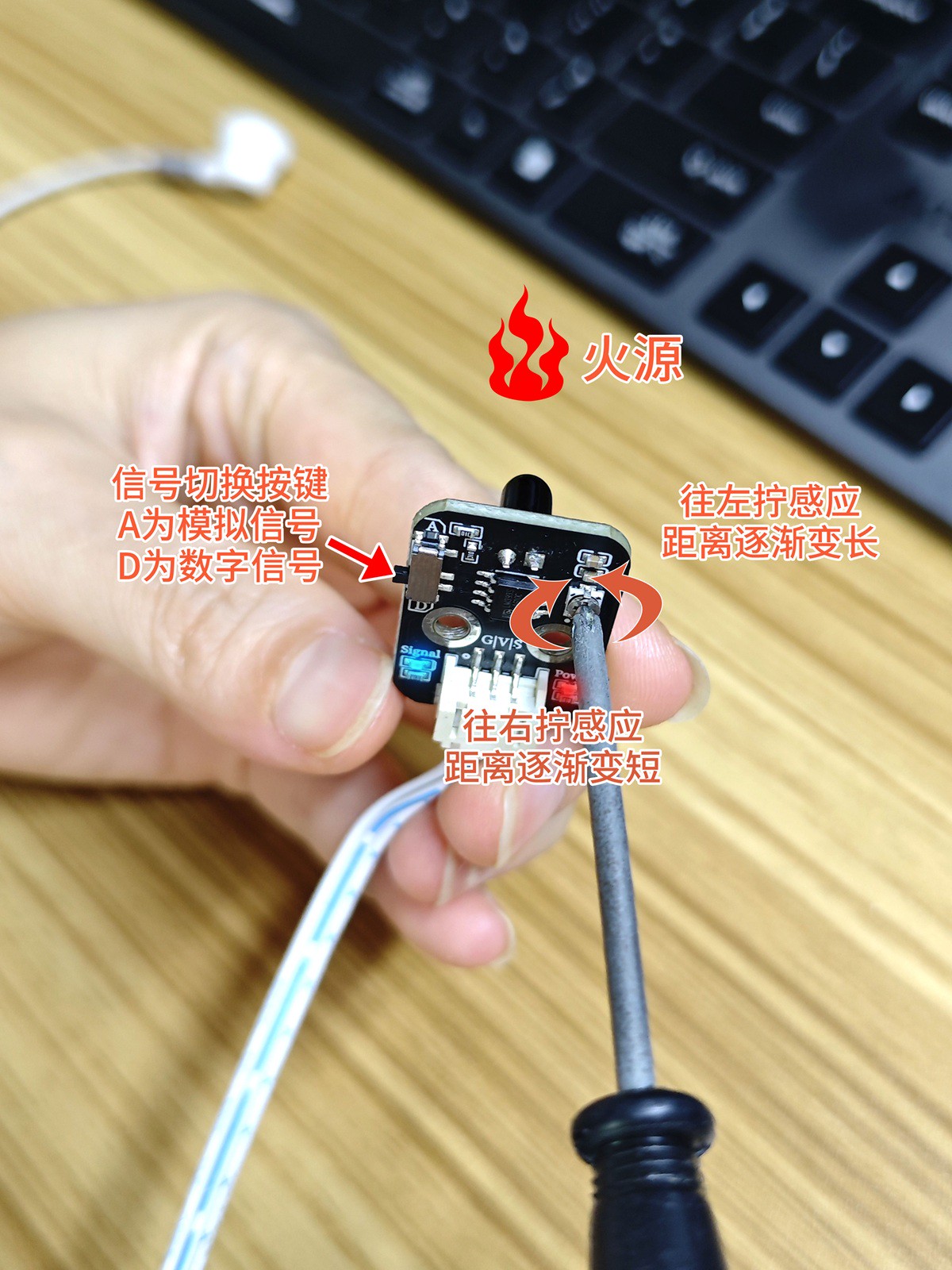
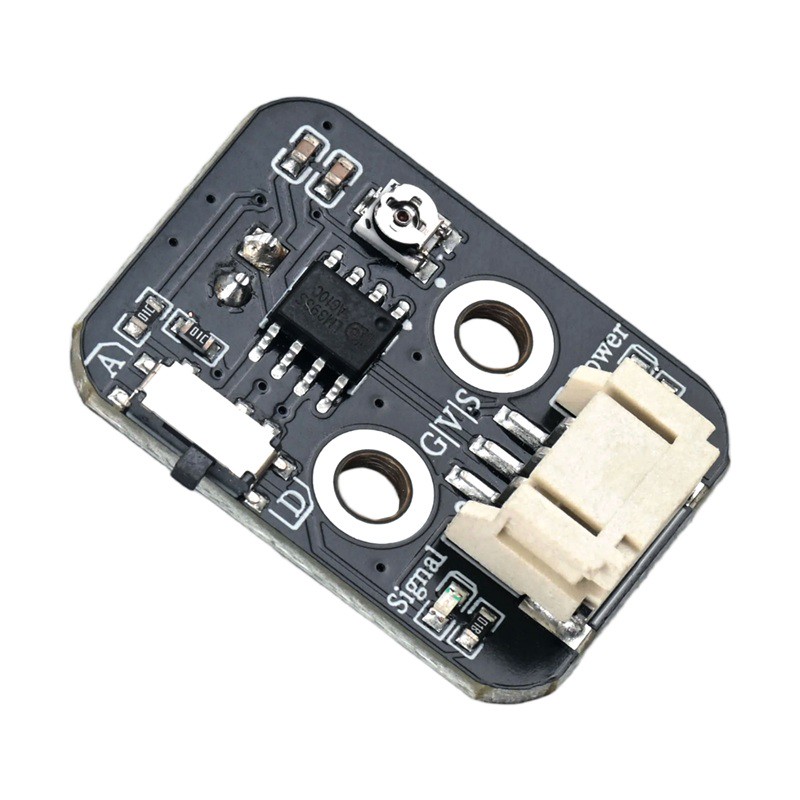
1. Introduction
2. Schematic
Infrared Signal Receiver Module-HS-S08-L SchematicClick to view
Module Parameters
Pin Name | description |
|---|---|
G | GND (Negative Power Input) |
V | VCC (Positive Power Input) |
S | Signal Pin |
Power Supply Voltage: 3.3V / 5V
Connection type: PH2.0 3P terminal wire
Installation Method: Double Screw Fixed
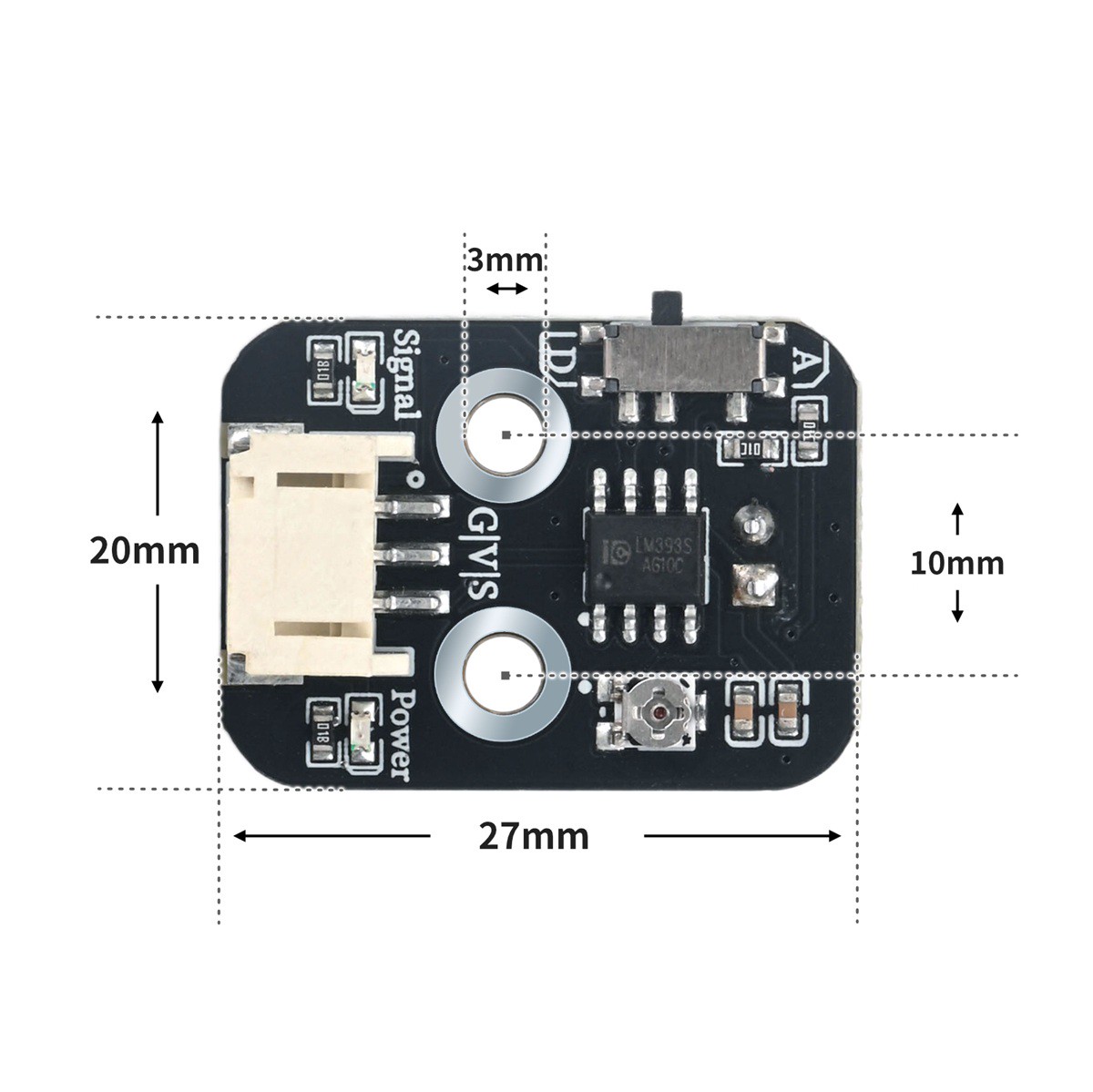
4, Circuit Board Size
5 of Arduino IDE example program
Attention: If prompted with an error message about the library file during program upload, please import the library file first!
Arduino IDE Library Download and Import Tutorial:Click to view
Example program (UNO development board):
//传感器s引脚接D4,传感器A接A0(如需要检测火焰传感器模拟值);无源蜂鸣器接D8口;
 int FlamelDigitalValue;//定义数字变量,读取火焰数字值
 int FlamelAnalogValue;//定义数字变量,读取火焰模拟值
 int BuzzerPin=8;//定义数字常量,无源蜂鸣器接数字6口

void setup(){
  Serial.begin(9600);//设置串口波特率
  pinMode(4, INPUT);//设置火焰传感器数字引脚为输入
}

void loop(){


  FlamelAnalogValue = analogRead(A0);//读取火焰传感器模拟值
  FlamelDigitalValue = digitalRead(4);//读取火焰传感器数字值
  Serial.print("FlamelAnalogValue:");
  Serial.print(FlamelAnalogValue);//打印火焰传感器模拟值
  Serial.print("      FlamelDigital Data:");
  Serial.println(FlamelDigitalValue);//打印火焰传感器数字值
  if (FlamelDigitalValue == 0) {//判断火焰传感器是否检测到火焰  检测到火焰  蜂鸣器报警
    pinMode(BuzzerPin, OUTPUT);//设置无源蜂鸣器模块引脚为输出
    tone(BuzzerPin,196);//蜂鸣器响起
    delay(100);//延时0.1s

  } else {
    pinMode(BuzzerPin, OUTPUT);
    noTone(BuzzerPin);//蜂鸣器停止

  }

}
6, ESP32 Python Example (for Mixly IDE/Misashi)
Choose the development board Python ESP32 [ESP32 Generic(4MB)] and upload in code mode
Attention: If prompted with an error message about the library file during program upload, please import the library file first!
Download and import tutorial for Mixly IDE ESP32 library:Click to view
Example program (ESP32-Python):
import machine
import music


pin2 = machine.Pin(2, machine.Pin.IN)
midi = music.MIDI(8)
while True:
if pin2.value() == 0:
midi.pitch_time(440, 2000)
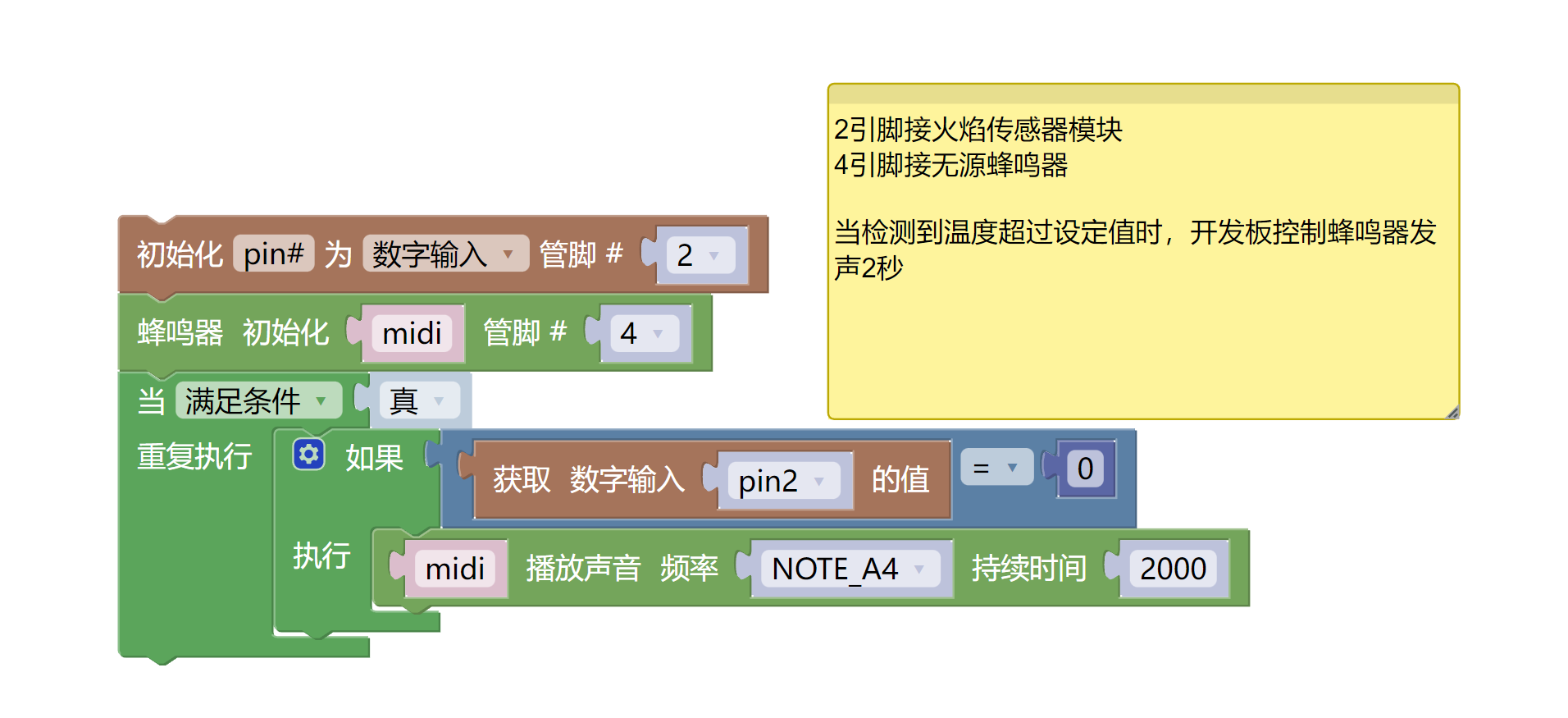
7, Mixly example program (graphical language)
Example program (UNO development board):Click to download
Attention: If prompted with an error message about the library file during program upload, please import the library file first!
Download and import tutorial of Mixly IDE Arduino library:Click to view
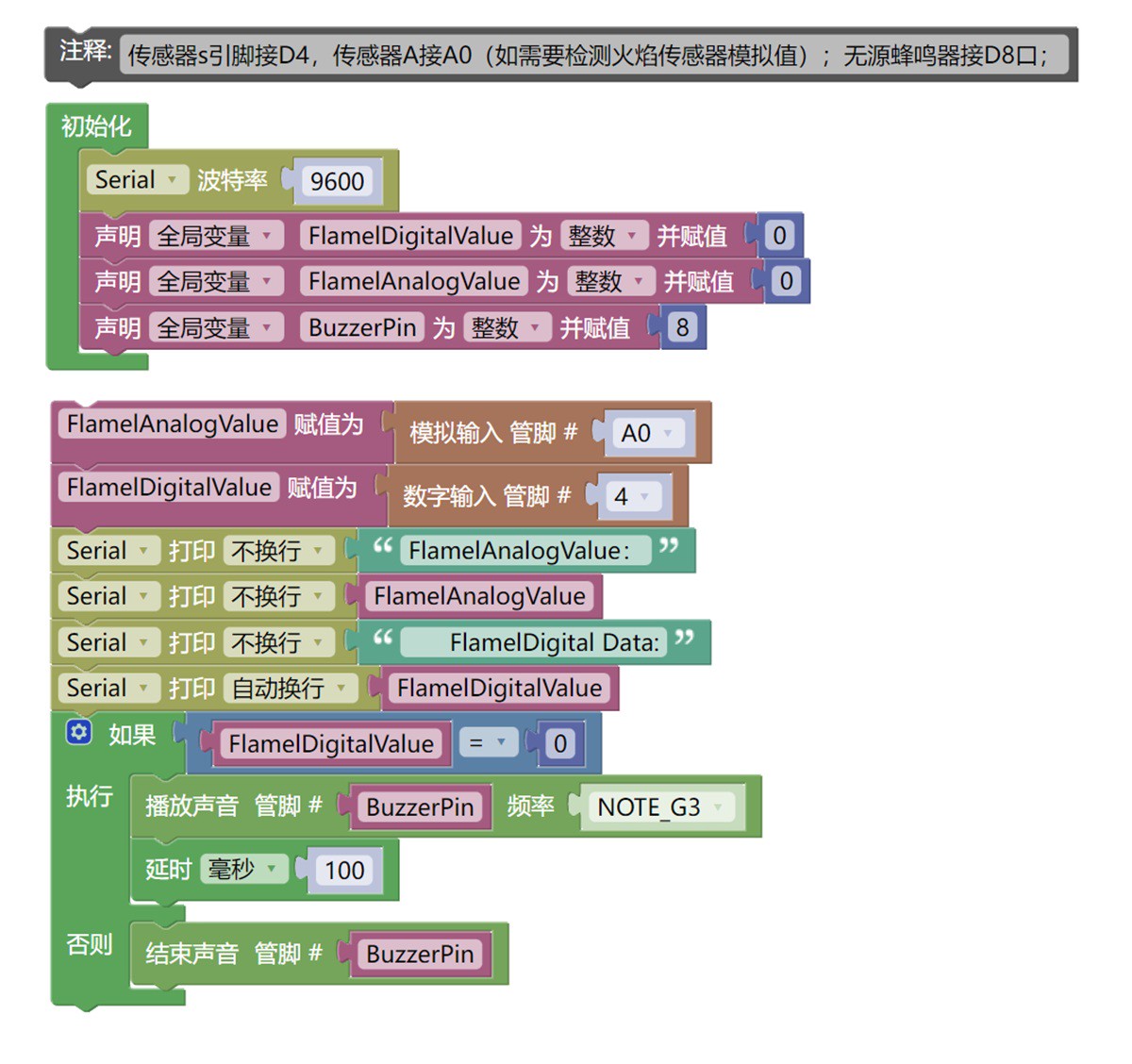
Example Program (ESP32 Development Board):Click to download
Attention: If prompted with an error message about the library file during program upload, please import the library file first!
Download and import tutorial for Mixly IDE ESP32 library:Click to view
8. Setting up the Test Environment
Arduino UNO Test Environment Setup
Prepare Components:
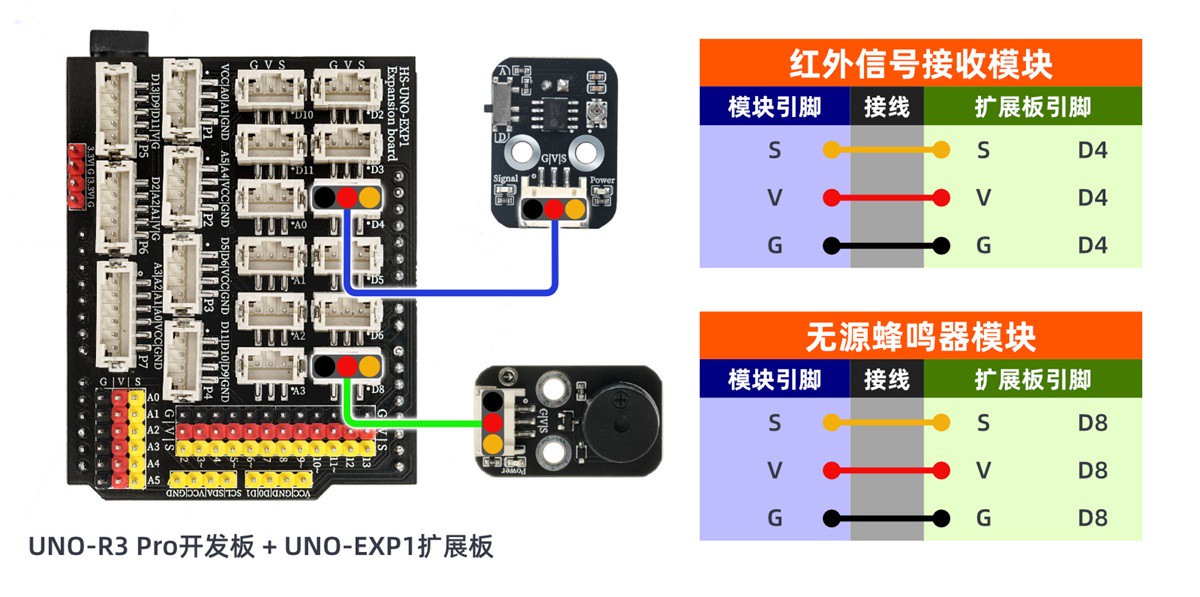
HELLO STEM UNO R3 PRO DEVELOPMENT BOARD *1
HELLO STEM UNO EXP1 Expansion Board *1
USB TYPE-C DATA CABLE *1
Passive buzzer module (HS-F02A) *1
Sensor Module (HS-S08AP) *1
PH2.0 3P Dupont wire *1
1P female to female DuPont wire *3 pieces or 3P female to female DuPont wire *1 piece
Circuit wiring diagram:
ESP32 Test Environment Setup
Prepare Components:Pending update...
Circuit wiring diagram:Pending update...
10, Test results
Arduino UNO test results: