1. Introduction
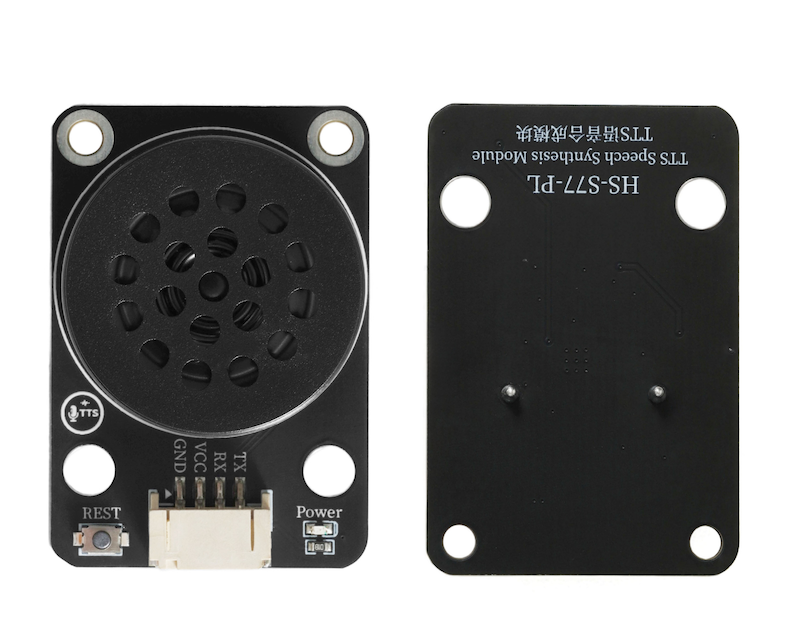
Built-in voice synthesis chip of TTS voice synthesis module, receives text data from the main control device (such as a microcontroller) through serial port, analyzes and processes the chip, calls the voice library and algorithm, converts it into voice signals, amplifies it, and drives the speaker to produce sound.Convert text information to speech output.
2. Schematic
TTS voice synthesis module-HS-S77-PL schematicClick to view
Module Parameters
Pin Name | description |
|---|---|
G | GND (Negative Power Input) |
V | VCC (Positive Power Input) |
RX | Receive Pin |
TX | Transmit Pin |
Supply voltage: 3.3V-5V
Connection method: PH2.0 4P terminal wire
Installation method: Modular fixed
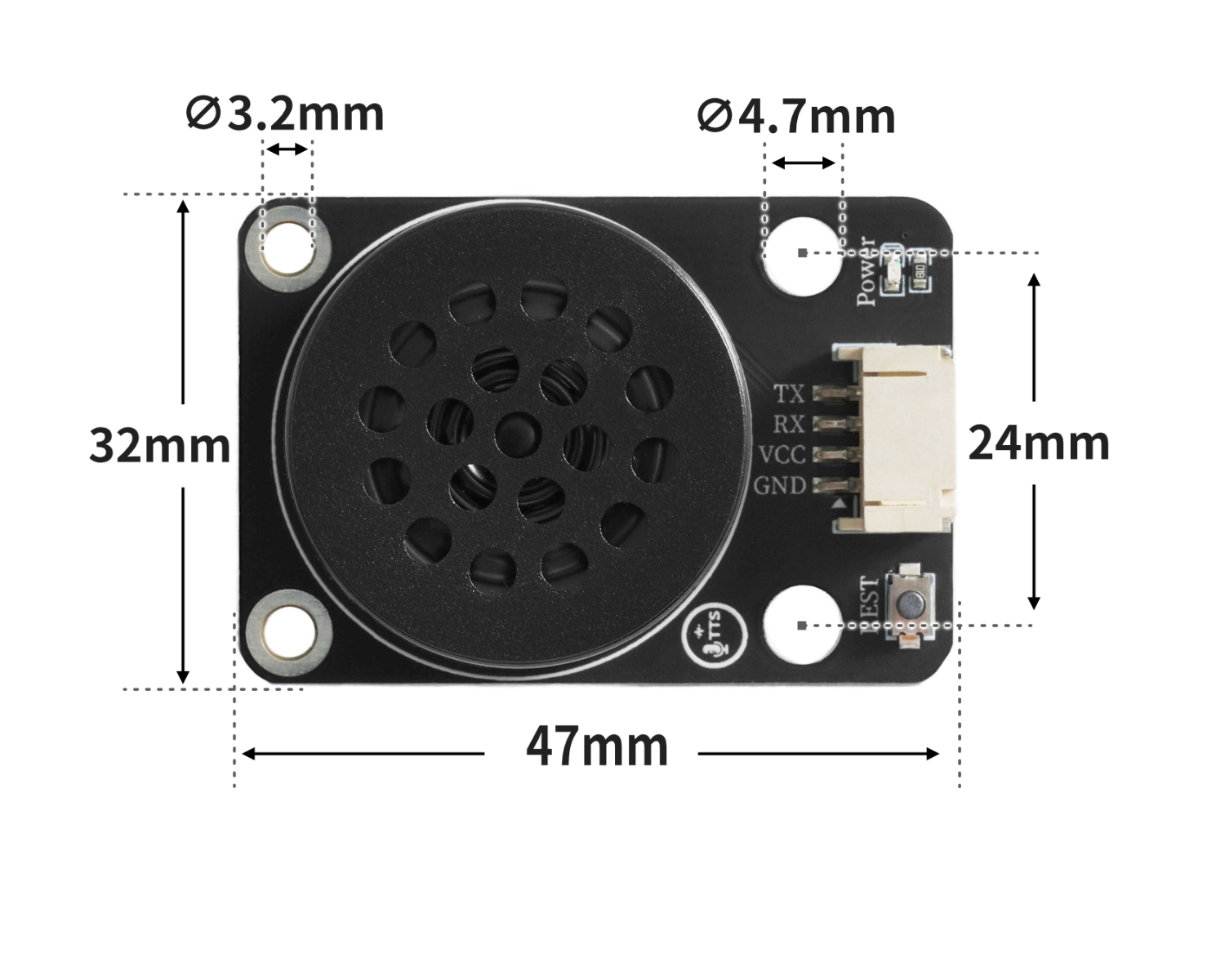
4, Circuit Board Size
5 of Arduino IDE example program
Attention: If prompted with an error message about the library file during program upload, please import the library file first!
Arduino IDE Library Download and Import Tutorial:Click to view
Example program (UNO development board):
#include "VTX316.h"

void setup(){
  VTX316_Init(6,5);

}

void loop(){
  Voice_BOBAO("今天天气晴,适合外出");
  delay(5000);

}
6, ESP32 Python Example (for Mixly IDE/Misashi)
Choose the development board Python ESP32 [ESP32 Generic(4MB)] and upload in code mode
Attention: If prompted with an error message about the library file during program upload, please import the library file first!
Download and import tutorial for Mixly IDE ESP32 library:Click to view
Example program (ESP32-Python):
from machine import UART, Pin
import time
class VTX316:
    def __init__(self, tx_pin: int, rx_pin: int, baudrate=115200, uart_id=2):
        """初始化 VTX316 语音模块"""
        self.uart = UART(uart_id, baudrate=baudrate, tx=Pin(tx_pin), rx=Pin(rx_pin))
        time.sleep_ms(200)

    def _send_bytes(self, data: bytes):
        """发送原始字节"""
        self.uart.write(data)

    def _send_text(self, text: str):
        """发送字符串文本"""
        self.uart.write(text.encode('gbk'))

    def bobo(self, message: str):
        if not message:
            return
        msg_bytes = message.encode('gbk')
        length = len(msg_bytes)
        frame_head = bytes([0xFD, 0x00, length + 2, 0x01, 0x05])
        self._send_bytes(frame_head)
        time.sleep_ms(2)
        self._send_bytes(msg_bytes)
        time.sleep_ms(length + 50)

    def yinliang(self, level: int):
        if level < 0:
            level = 0
        elif level > 10:
            level = 10
        frame = bytes([
            0xFD, 0x00, 0x06,
            0x01, 0x01,
            0x5B, 0x76,
            0x30 + level,
            0x5D
        ])
        self._send_bytes(frame)
        time.sleep_ms(100)

    def zanting(self):
        cmd = bytes([0xFD, 0x00, 0x01, 0x03])
        self._send_bytes(cmd)

    def huifu(self):
        cmd = bytes([0xFD, 0x00, 0x01, 0x04])
        self._send_bytes(cmd)

    def fayanren(self, idx: int):
        if idx < 1 or idx > 7:
            idx = 1
        cmd_str = f"[m5{idx}]"
        msg_bytes = cmd_str.encode('gbk')
        length = len(msg_bytes)

        frame_head = bytes([0xFD, 0x00, length + 2, 0x01, 0x05])
        self._send_bytes(frame_head)
        time.sleep_ms(2)
        self._send_bytes(msg_bytes)
        time.sleep_ms(50)


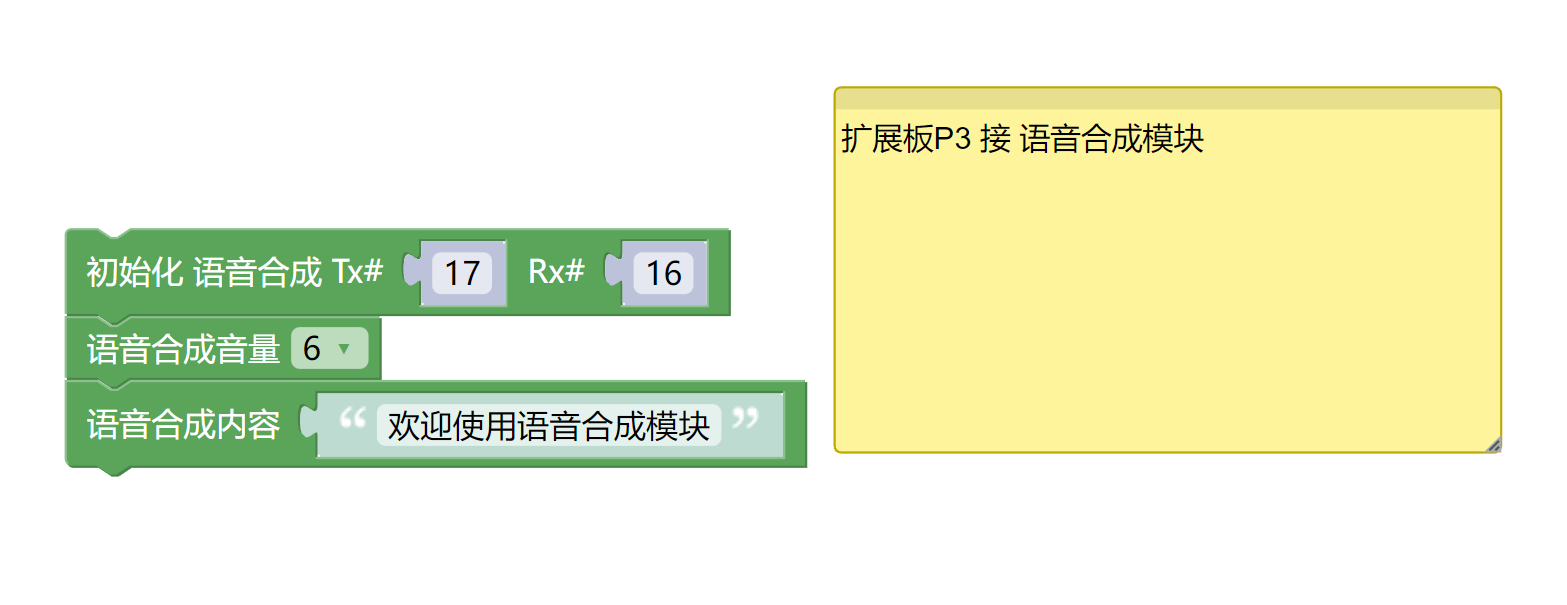
voice = VTX316(tx_pin=17, rx_pin=16)

voice.yinliang(6)

voice.bobo('欢迎使用语音合成模块')
7, Mixly example program (graphical language)
Example program (UNO development board):Click to download
Attention: If prompted with an error message about the library file during program upload, please import the library file first!
Download and import tutorial of Mixly IDE Arduino library:Click to view
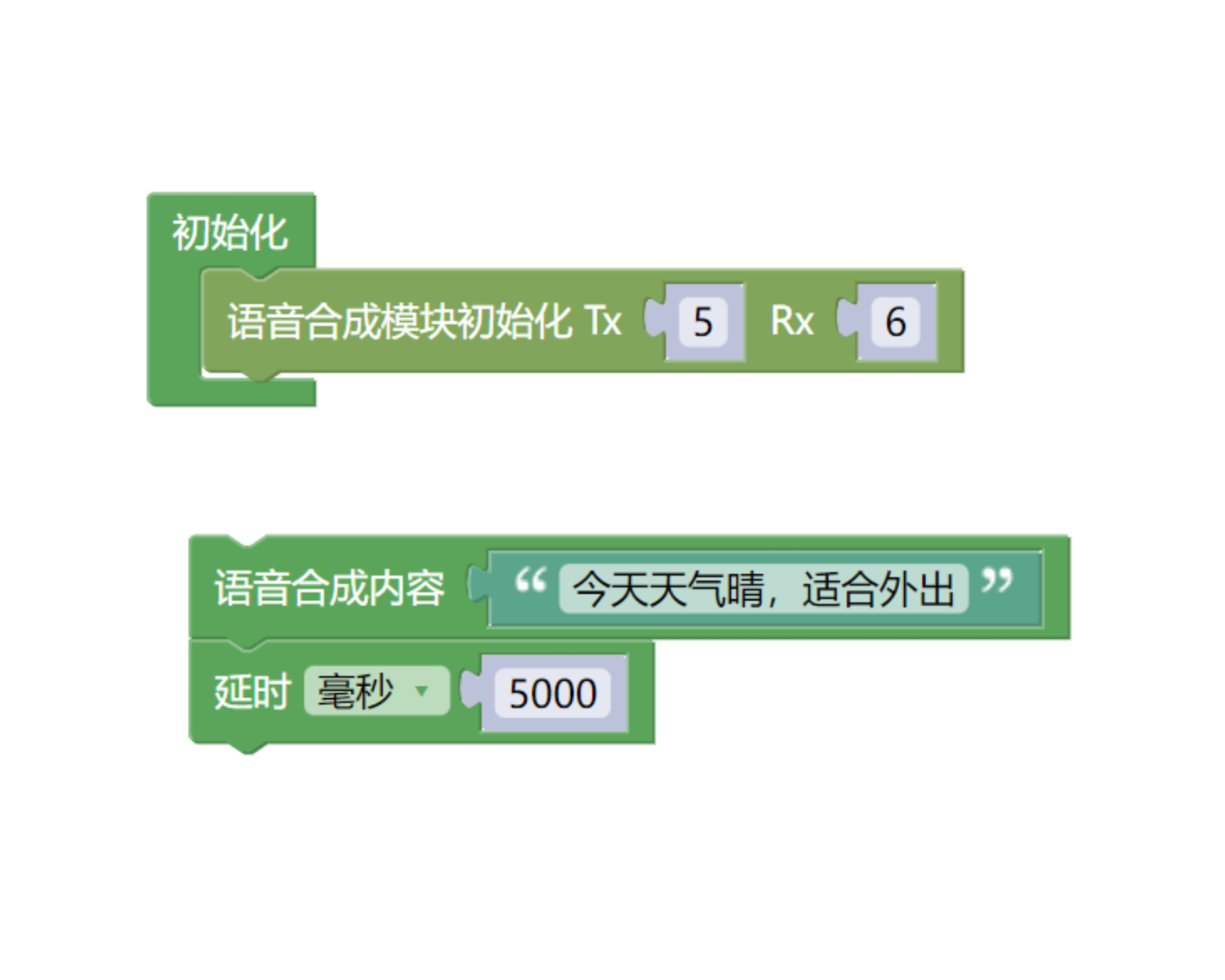
Example Program (ESP32 Development Board):Click to download
Attention: If prompted with an error message about the library file during program upload, please import the library file first!
Download and import tutorial for Mixly IDE ESP32 library:Click to view
8. Setting up the Test Environment
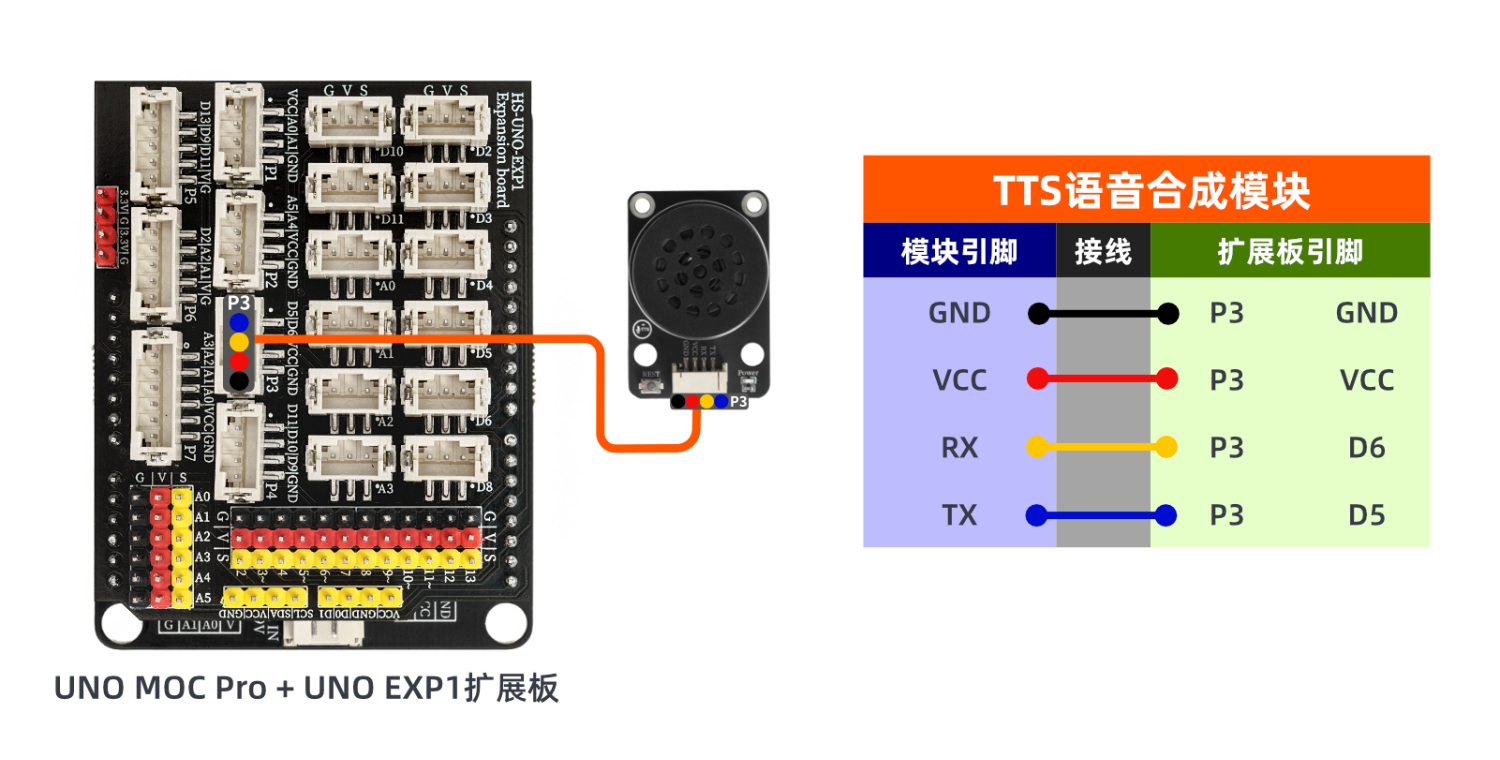
Arduino UNO Test Environment Setup
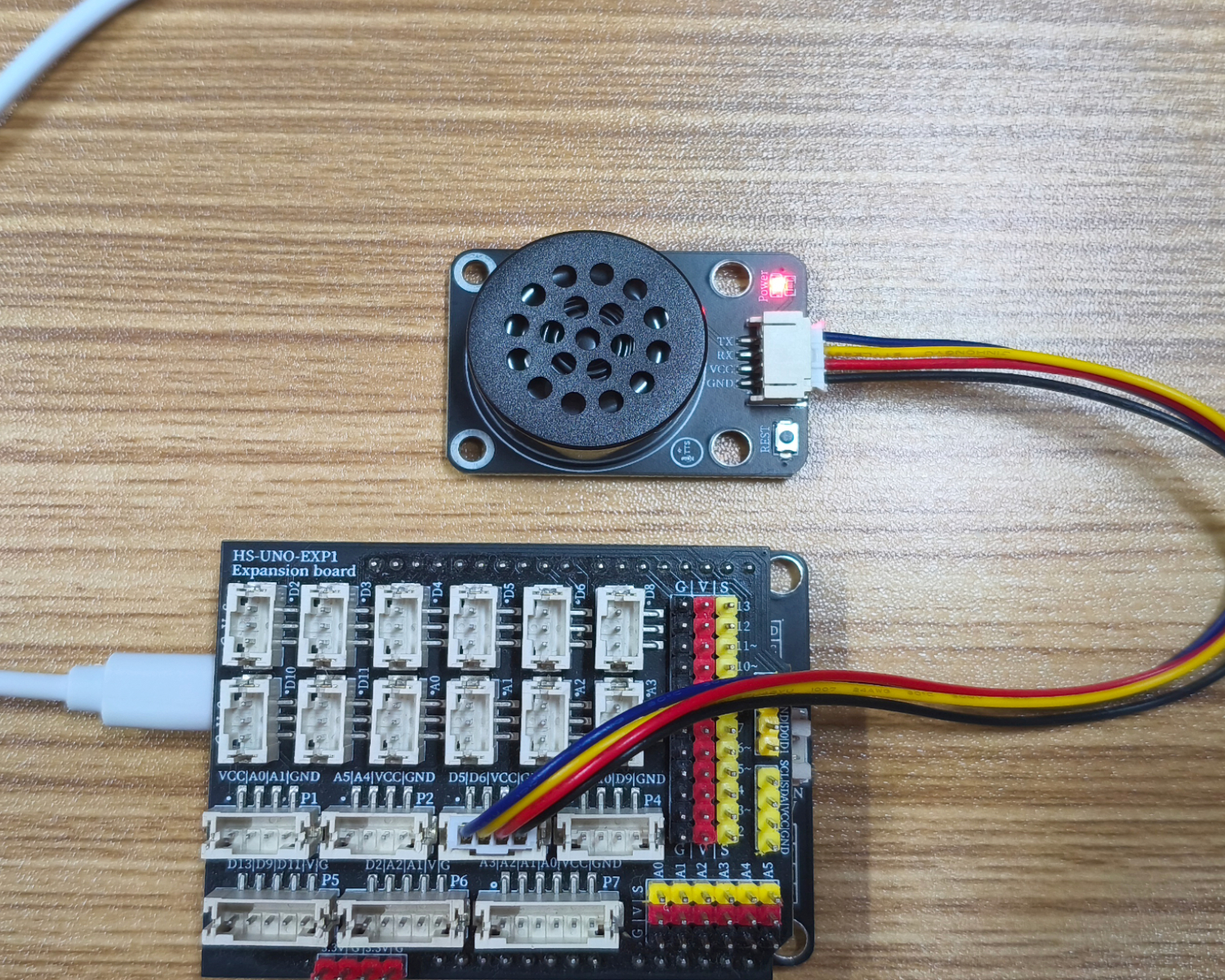
Prepare Components:
UNO-R3 Development Board *1
UNO-R3 Expansion Board *1
USB TYPE-C DATA CABLE *1
HS-S77-PL TTS voice synthesis module *1
PH2.0 4P Double Head Terminal Line *1
Circuit wiring diagram:
ESP32 Test Environment Setup
Prepare Components:Pending update...
Circuit wiring diagram:Pending update...
9, Video tutorial
Arduino UNO video tutorial:Click to view
ESP32 Python Video Tutorial:Click to view
10, Test results
Arduino UNO test results:
After uploading the code, the module kept playing the voice in a loop.