1. Introduction
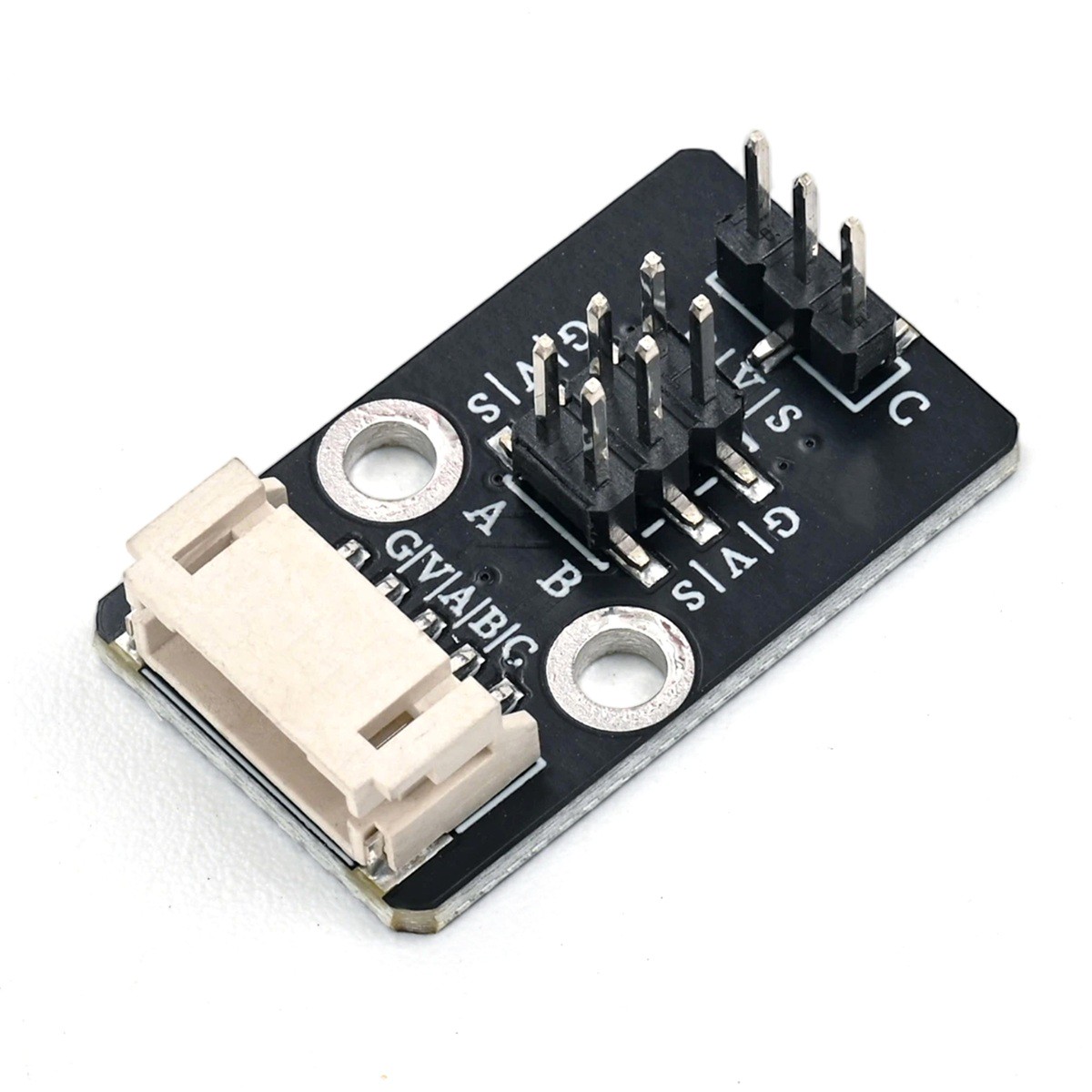
HS-S85P servo adapter is a three-channel servo expansion adapter module, supporting simultaneous connection of 3 servo signal lines. The board has unified 5V power and GND ground signals, providing an external PH-2.0-5P servo socket, and also has two groups of 2.54mm SMD pin headers, which can be directly connected to the main control IO port to complete servo control signal conversion, saving complex wiring and being simple and beautiful, suitable for servo applications such as robot arms, pan-tilt, car steering, etc.The module only handles signal and power distribution, without active chips; the main controller outputs PWM control signals, which are directly transmitted to the external servo through a transition board, and the servo power is supplied by the 5V network of the transition board.
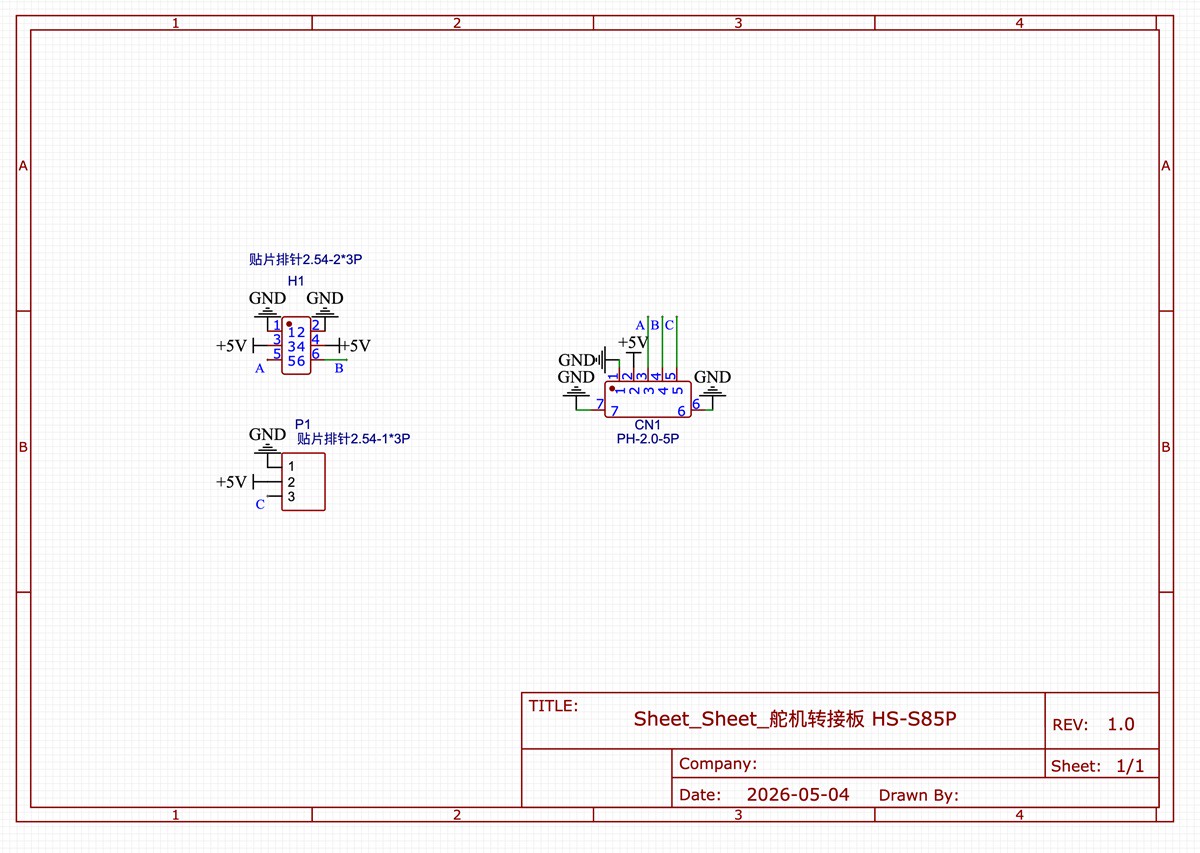
2. Schematic
Servo Interface Board-HS-S85P Schematic Click to View
Module Parameters
Pin Name | description |
|---|---|
G | GND (Negative Power Input) |
V | VCC (Positive Power Input) |
A | Input A channel servo PWM signal pin |
B | Input B channel servo PWM signal pin |
C | Input C channel servo PWM signal pin |
S * 3 | Corresponding to the A, B, C locations as the corresponding PWM signal pins output |
Supply Voltage: 5V
Connection Method: PH2.0-5P Terminal Line, 2.54mm Header
Installation Method: Double Screw Fixed
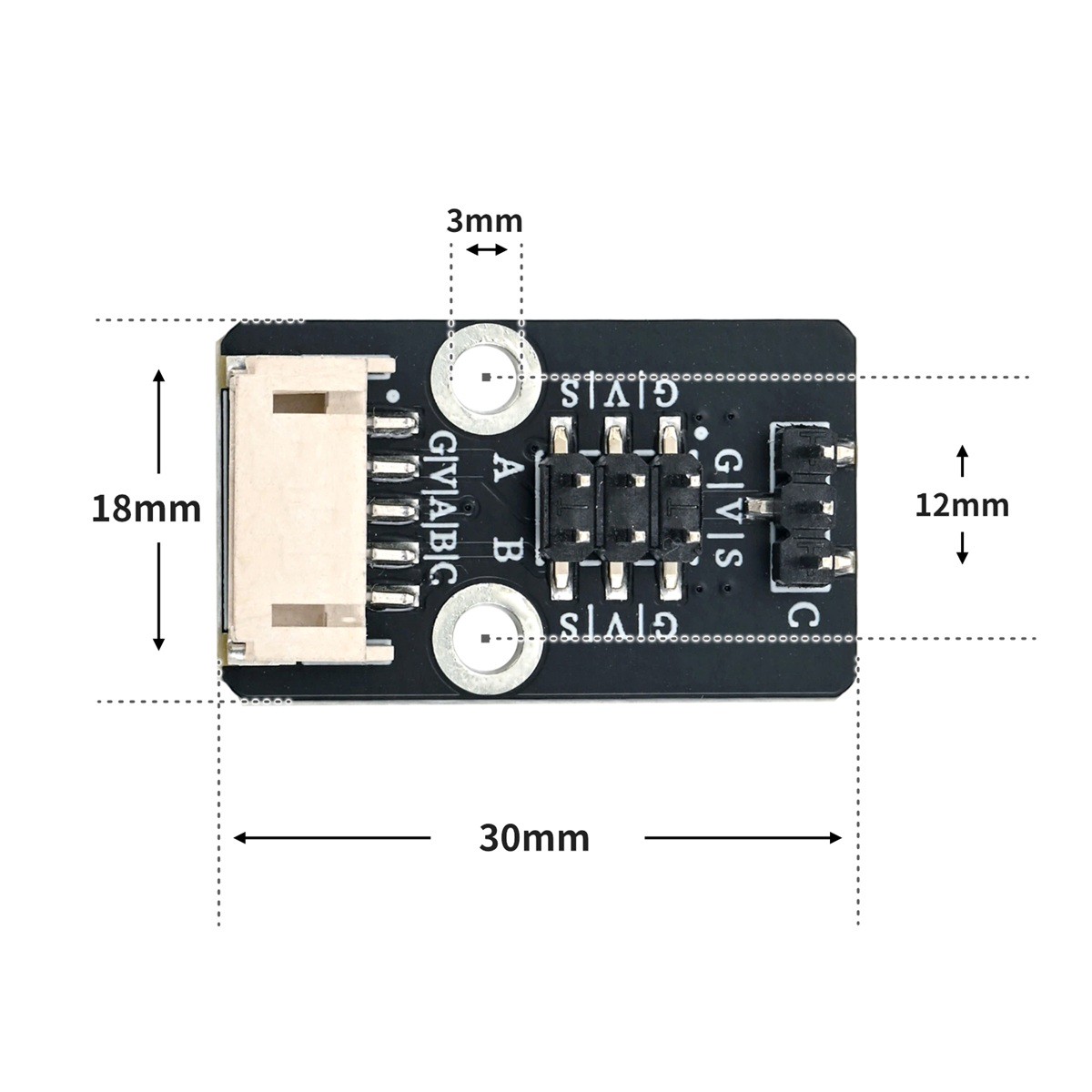
4, Circuit Board Size
5 of Arduino IDE example program
Attention: If prompted with an error message about the library file during program upload, please import the library file first!
Arduino IDE Library Download and Import Tutorial:Click to view
Example program (UNO development board):
#include <Servo.h>
Servo servo_2;    // 定义舵机对象,绑定主控D2引脚
Servo servo_A2;   // 定义舵机对象,绑定主控A2引脚
Servo servo_A1;   // 定义舵机对象,绑定主控A1引脚

void setup(){
  servo_2.attach(2);      // 舵机PWM信号输出到主控D2引脚
  servo_A2.attach(A2);    // 舵机PWM信号输出到主控A2引脚
  servo_A1.attach(A1);    // 舵机PWM信号输出到主控A1引脚
}

void loop(){
  servo_2.write(1);       // 设置该舵机转动至1°
  delay(0);               // 空延时,不阻塞程序
  servo_A2.write(1);      // 设置该舵机转动至1°
  delay(0);
  servo_A1.write(1);      // 设置该舵机转动至1°
  delay(0);
  delay(1000);            // 维持角度1000ms

  servo_2.write(179);     // 设置该舵机转动至179°
  delay(0);
  servo_A2.write(179);    // 设置该舵机转动至179°
  delay(0);
  servo_A1.write(179);    // 设置该舵机转动至179°
  delay(0);
  delay(1000);            // 维持角度1000ms
}
6, Miciqi Mixly Example Program (Graphical Language)
Example program (UNO development board):Click to download
Attention: If prompted with an error message about the library file during program upload, please import the library file first!
Download and import tutorial of Mixly IDE Arduino library:Click to view
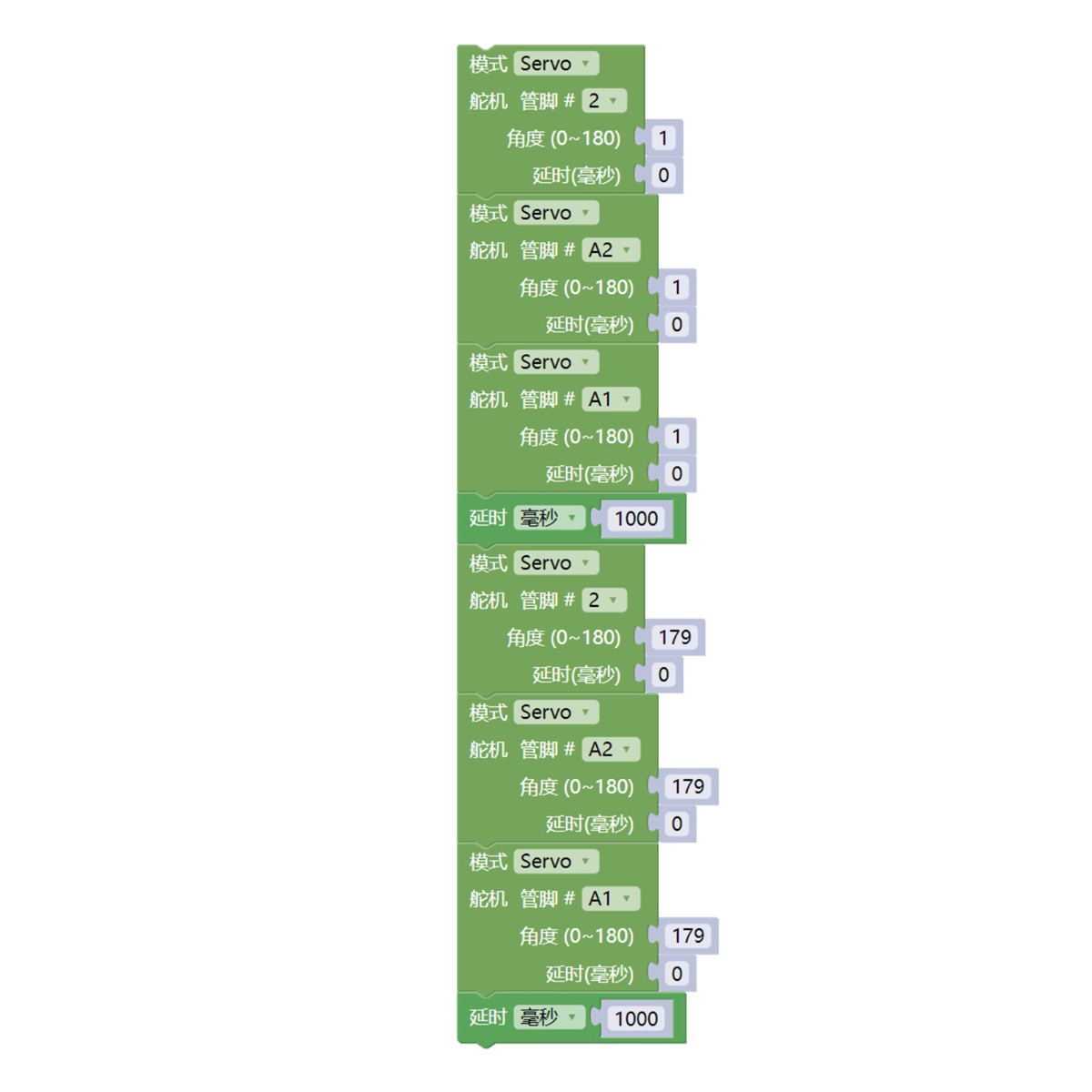
Example Program (ESP32 Development Board):
Pending update...
7, Test Environment Setup
Arduino UNO Test Environment Setup
Prepare Components:
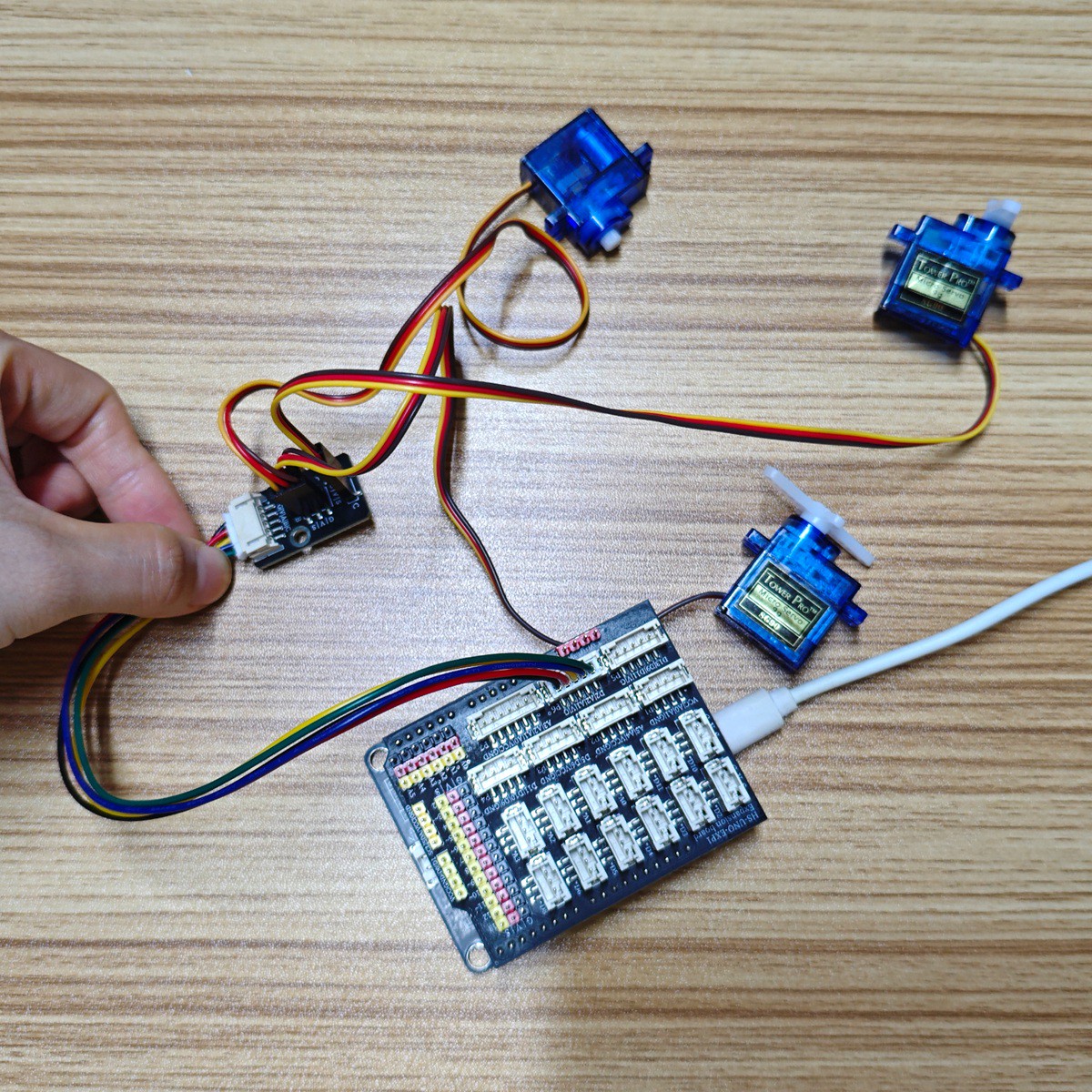
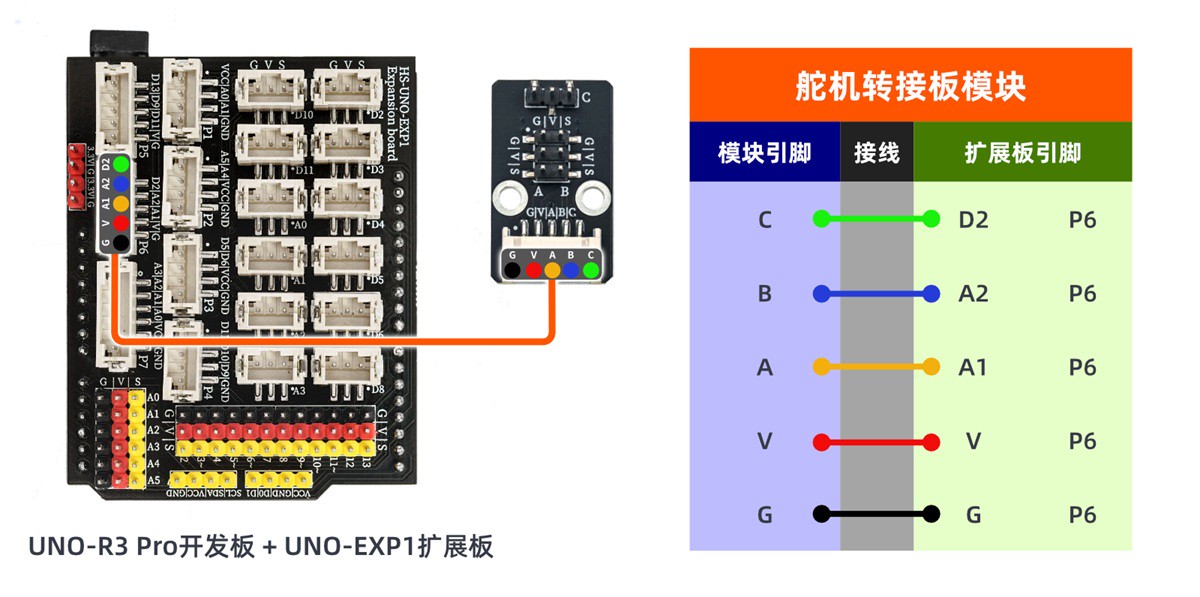
HELLO STEM UNO R3 PRO DEVELOPMENT BOARD *1
HELLO STEM UNO EXP1 Expansion Board *1
USB TYPE-C DATA CABLE *1
sg90 9g servo*3
Sensor Module (HS-S08AP) *1
PH2.0 5P double-ended line *1
Circuit wiring diagram:
ESP32 Test Environment Setup
Prepare Components:Pending update...
Circuit wiring diagram:Pending update...
8. Test results
Arduino UNO test results:
Through the experiment, we can observe that after the device is connected to the line and the program is uploaded to the Arduino UNO development board, it will be found that the three servos will rotate to the 1° position and hold for 1 second, then rotate to the 179° position and hold for 1 second, and so on.